Can You Add Built-In Garage Door Buttons to a Car?
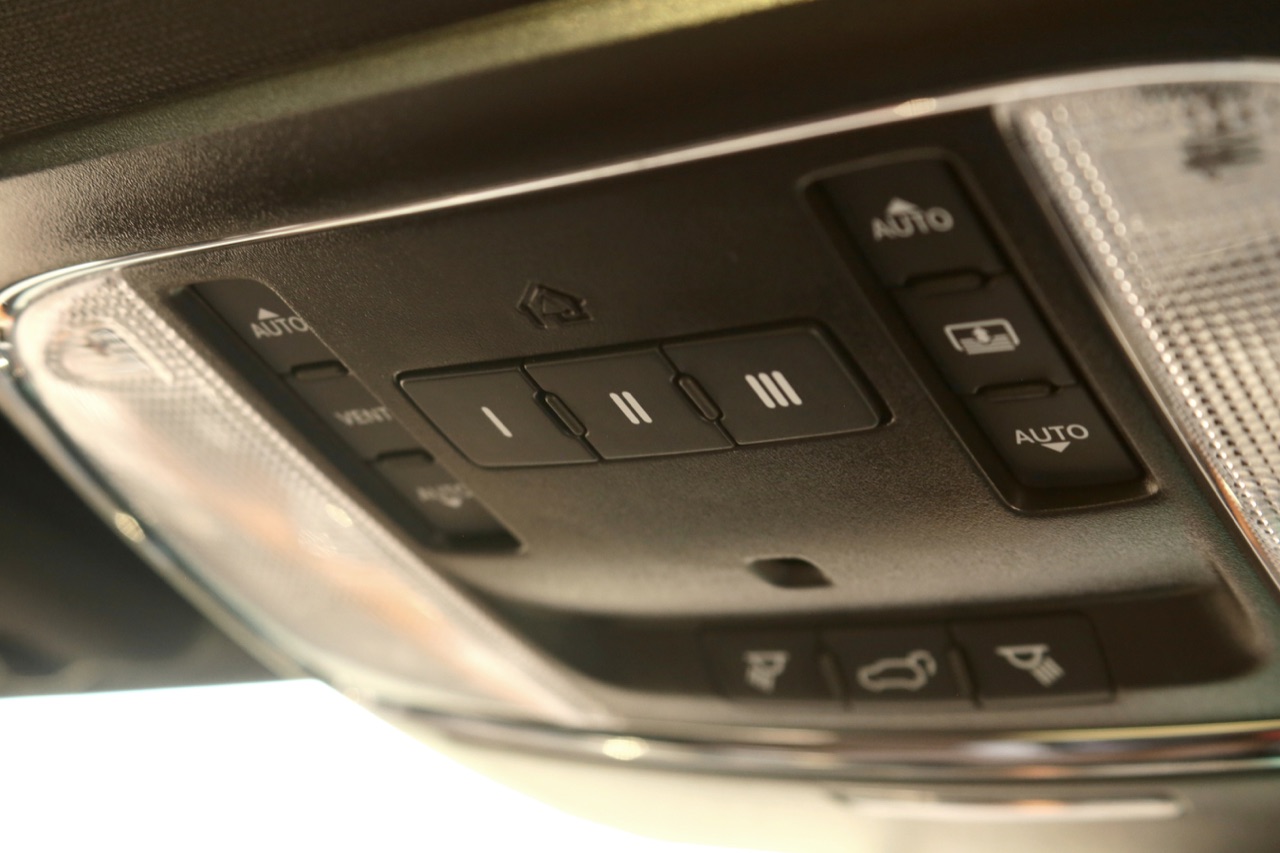
Photo: WillisMoon · CC BY 4.0 · Resized for display Photo credit details (Sources)
A car without garage-door buttons may have an upgrade path, but programming cannot add hardware that is absent. Begin with the exact vehicle and desired function. The question is whether a supported installation exists, not whether another trim level has buttons in a similar-looking mirror.
1. Confirm what the car already has
Check the owner's manual and equipment list for your vehicle's model year and trim. Identify whether the existing mirror has auto-dimming, a camera display, microphones or other integrated functions. Make a list of features you must retain. Do not remove the mirror, headliner or trim merely to look for an unused plug.
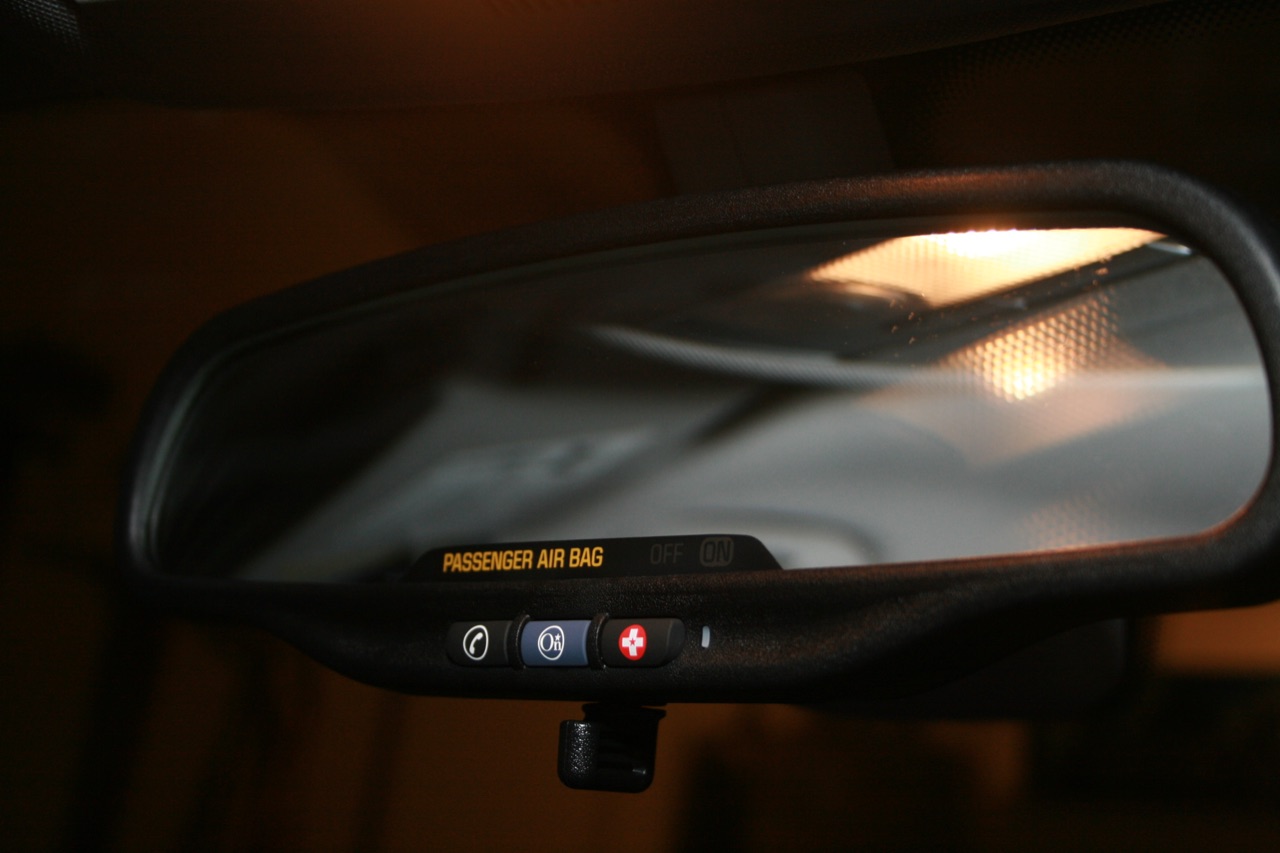
Photo: Tyler · CC BY 2.0 · Resized for display Photo credit details (Sources)
2. Separate three options
A factory-supported retrofit should be confirmed by the vehicle manufacturer's parts or accessory department for the exact car. An aftermarket mirror is a separate product with its own mount, power and feature requirements. A compatible handheld remote avoids replacing the mirror but is not a built-in conversion. Compare these routes before ordering parts, particularly when preserving the original mirror's functions matters.
3. Check both sides of compatibility
Vehicle fitment and garage-opener compatibility are independent. Give the installer the vehicle details and the opener model, along with the proposed controller's exact identifier. Ask for written confirmation of the required mount or adapter and any power connection, coding or calibration. A matching connector shape or advertised “universal” fit is not enough evidence.
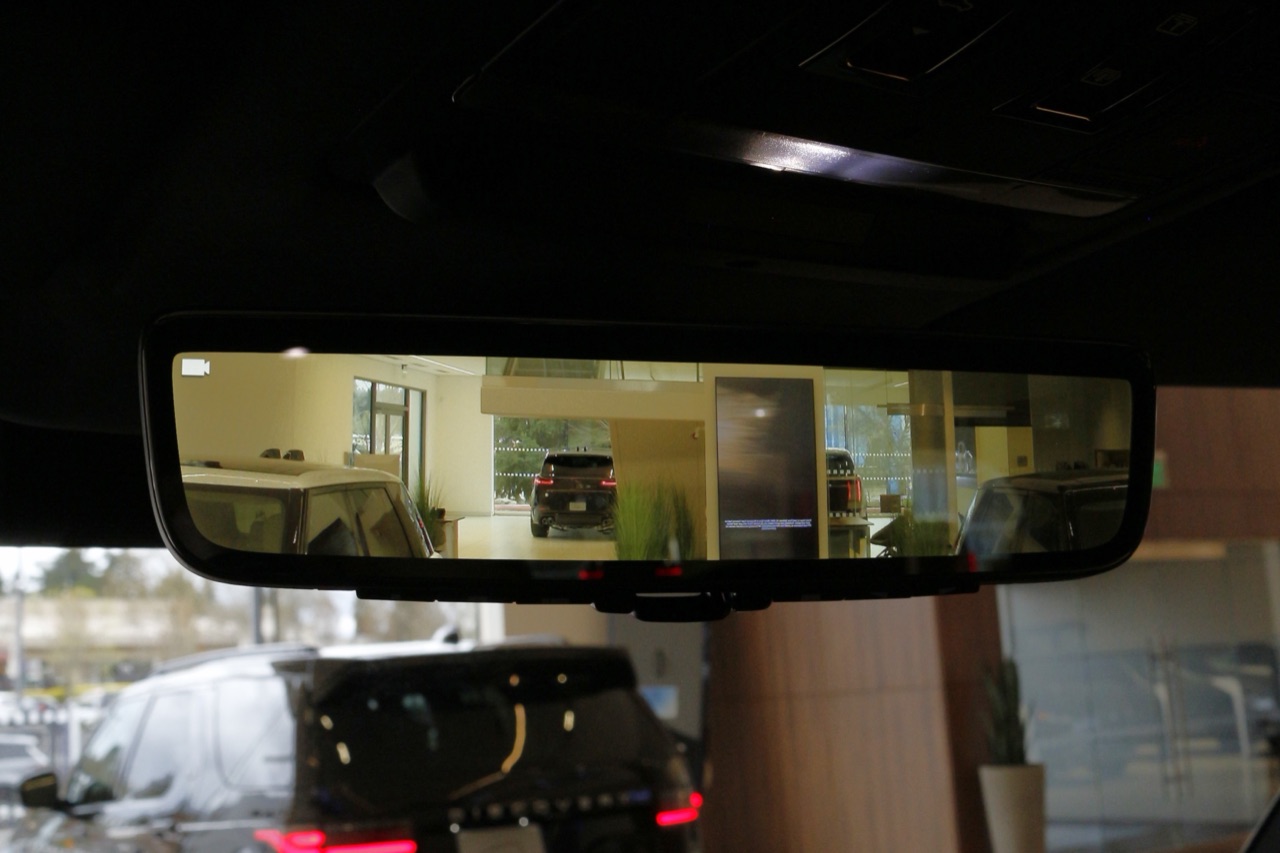
Photo: Pixelatedfacealex · CC BY 4.0 · Resized for display Photo credit details (Sources)
4. Know what a product example does not prove
VOXX's Gentex ADVPMHL1LN is an example of a battery-powered HomeLink 5 mirror. Its listing specifies a wedge mount with selected adapter options, a non-serviceable battery and no auto-dimming. Those details demonstrate why “HomeLink mirror” is not a complete fitment specification. They do not prove that this mirror is suitable for your vehicle or opener.
5. Ask for a complete installation scope
Request the exact parts, retained and lost functions, support channel and installation responsibilities. Gentex directs buyers to vehicle dealer parts/accessory teams or its aftermarket distributor and to the supplied installation instructions. Do not splice unknown mirror wiring, tap an arbitrary circuit or interfere with airbag trim to make an unsupported part work. Vehicle electrical and safety-system work belongs with an appropriately qualified installer following vehicle-specific documentation.
6. Commission the controls after installation
Have the installer verify the mirror's normal functions before programming the garage control. Pair and test only while parked, with the garage door in view and its path clear. Follow the in-car garage-control programming guide for pairing, using the exact vehicle and opener instructions rather than a universal button sequence. If it does not work, distinguish a radio-pairing issue from an installation or power problem before buying more accessories.
For a Security+ 3.0 opener, HomeLink specifies training with the original handheld transmitter rather than directly at the motor head. A white Learn button or white antenna is a typical clue, but confirm the exact opener model and vehicle-specific instructions before pairing.
Frequently asked questions
Can software create buttons my car lacks?
Not by itself.
Does the same mirror housing guarantee a swap?
No.
Must I replace the mirror?
No; a compatible separate remote may be the simpler option.
Does a built-in control automatically include an app subscription?
Do not assume it; verify the selected product's function and terms separately.
Related Posts
Sources
- Gentex: product support
- VOXX: Gentex ADVPMHL1LN specifications
- VOXX: ADVGEN40A4 installation safety
- HomeLink: support and compatibility
- HomeLink: vehicle-specific programming
Photo credits
- HomeLink buttons can be in an overhead console, not only in a mirror. Check the equipment list for your exact model year and trim before buying a replacement mirror.Photo: WillisMoon · CC BY 4.0 · Resized for display WillisMoon CC BY 4.0
- These three mirror buttons are OnStar controls, not garage-door buttons. Identify each function in the vehicle manual; do not try arbitrary programming sequences on unfamiliar controls.Photo: Tyler · CC BY 2.0 · Resized for display Tyler CC BY 2.0
- This Gentex digital mirror displays a rear-camera view. A replacement that adds garage controls does not automatically preserve camera display, dimming or other existing functions. Ask the installer to confirm the exact combination.Photo: Pixelatedfacealex · CC BY 4.0 · Resized for display Pixelatedfacealex CC BY 4.0


