Gate Sensors Not Working: Photoeye Checks Without Bypassing Safety
First identify which kind of sensor you mean
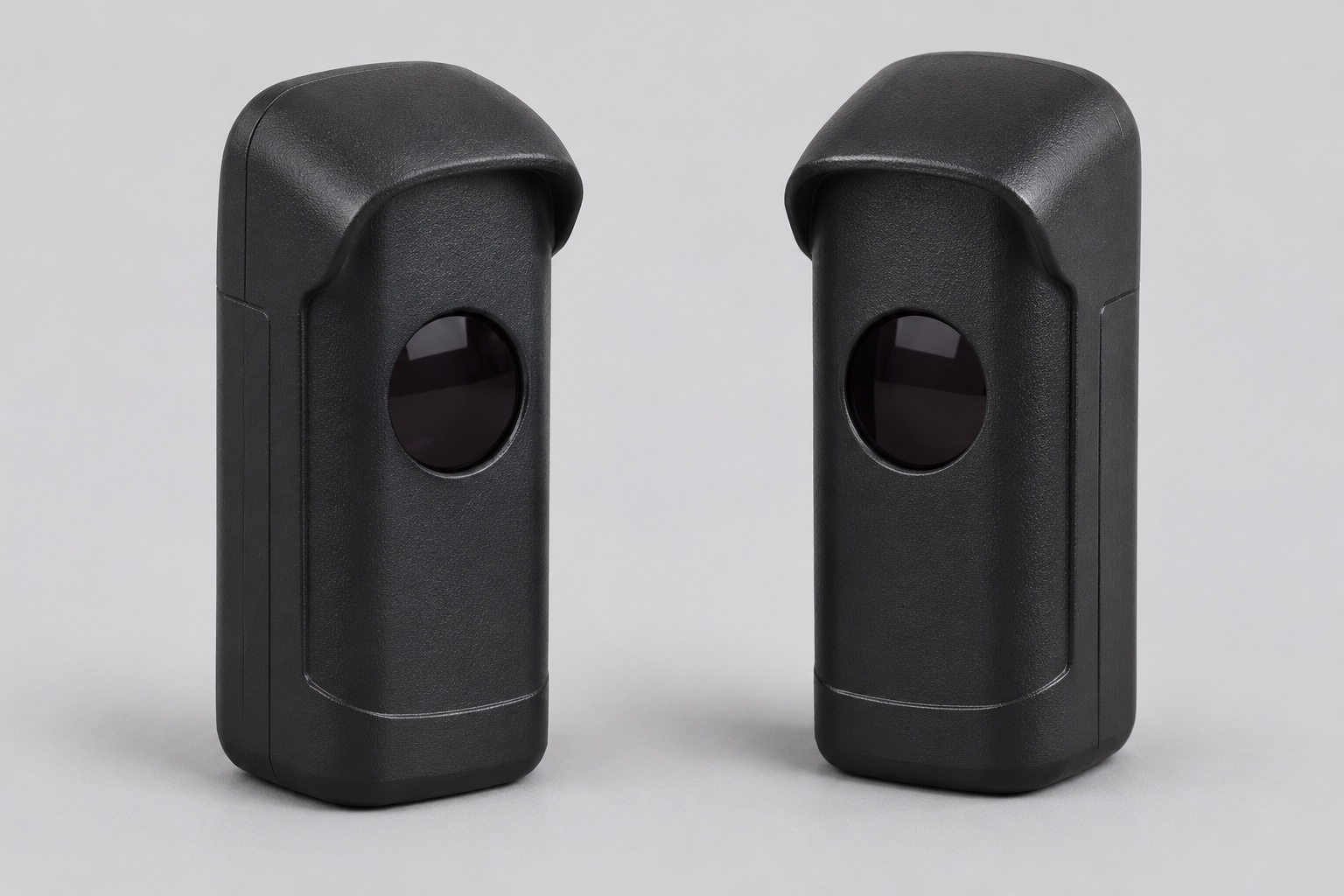
A gate can contain several devices that owners call sensors. This guide concerns photoelectric eyes: devices that use a light beam across a protected area. It does not diagnose an underground vehicle loop, an exit probe, a contact-sensitive edge or a radio receiver. Identifying the device prevents you from cleaning a photoeye while the actual fault is somewhere else.
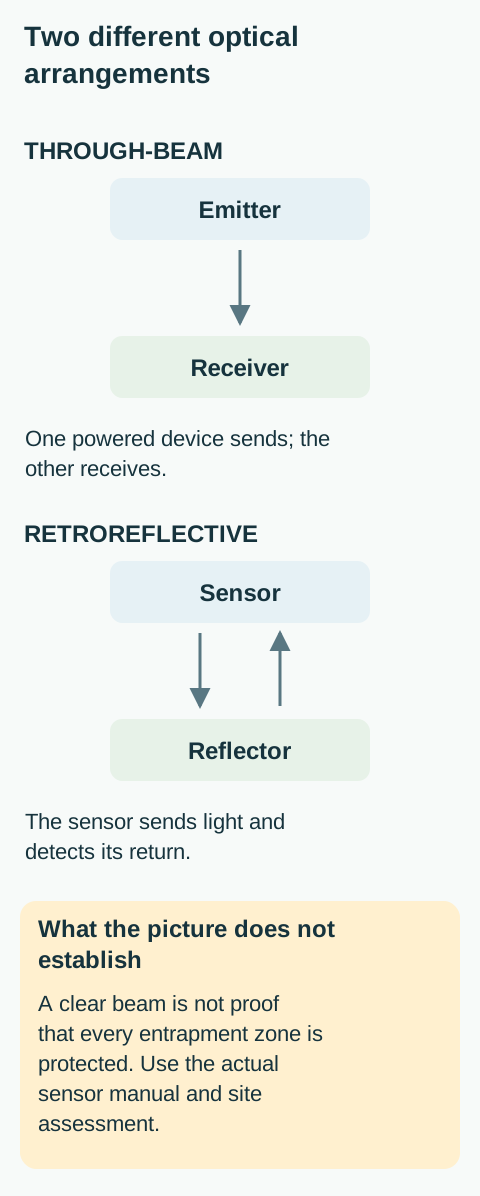
A through-beam arrangement has a transmitter facing a separate receiver. A retroreflective arrangement has a sensor looking toward a reflector. The reflector is not necessarily a second powered sensor. HySecurity describes both arrangements in its SlideSmart DC manual. Identify the installed photoeye model as well as the operator; their manuals answer different questions.
Treat a closing refusal as a safety clue
A gate that will not close may be responding correctly to an occupied beam, or it may have a sensor, wiring or configuration problem. A gate that reverses is not proof that its photoeyes have failed. Equally, a gate that moves despite a suspected sensor problem is not proof that the installation is safe. Stop normal automatic use if protection is uncertain.
Keep everyone outside the full travel and trapping areas. Do not stand between a moving gate and a post to watch the light change. Do not use a person, pet or vehicle as a test target. For a shared entrance, notify the manager so another user does not command movement while someone is examining the area.
Never bridge sensor terminals, disconnect a monitored device, tape over it, or use a special control mode to defeat its response. The operator may require a particular monitored device and may check more than whether a contact is open or closed. A successful bypass would remove information the system depends on, not repair the fault.
Observe the beam path before touching anything
From outside the movement area, look for an obvious item crossing the line between the sensor and its receiver or reflector: a parked vehicle, a bin, vegetation or accumulated debris. Consider the whole beam path, not just the few inches in front of the lens. Do not assume a thin branch is harmless because the driveway otherwise looks clear.
If removing an obstruction requires entering the gate’s travel or pinch zone, stop. Arrange safe isolation and access with the responsible person. Clearing a beam can permit automatic closing, depending on the system. A gate that is stationary now is not guaranteed to remain stationary after the beam becomes clear.
Photograph visible damage from a safe position. A housing hit by a vehicle, a loose post, a cracked lens, water visible inside a device or a damaged exposed cable needs service. Do not straighten the bracket or twist the sensor until a light comes on: that could aim the beam away from the area it was meant to protect.
Clean only accessible external optics
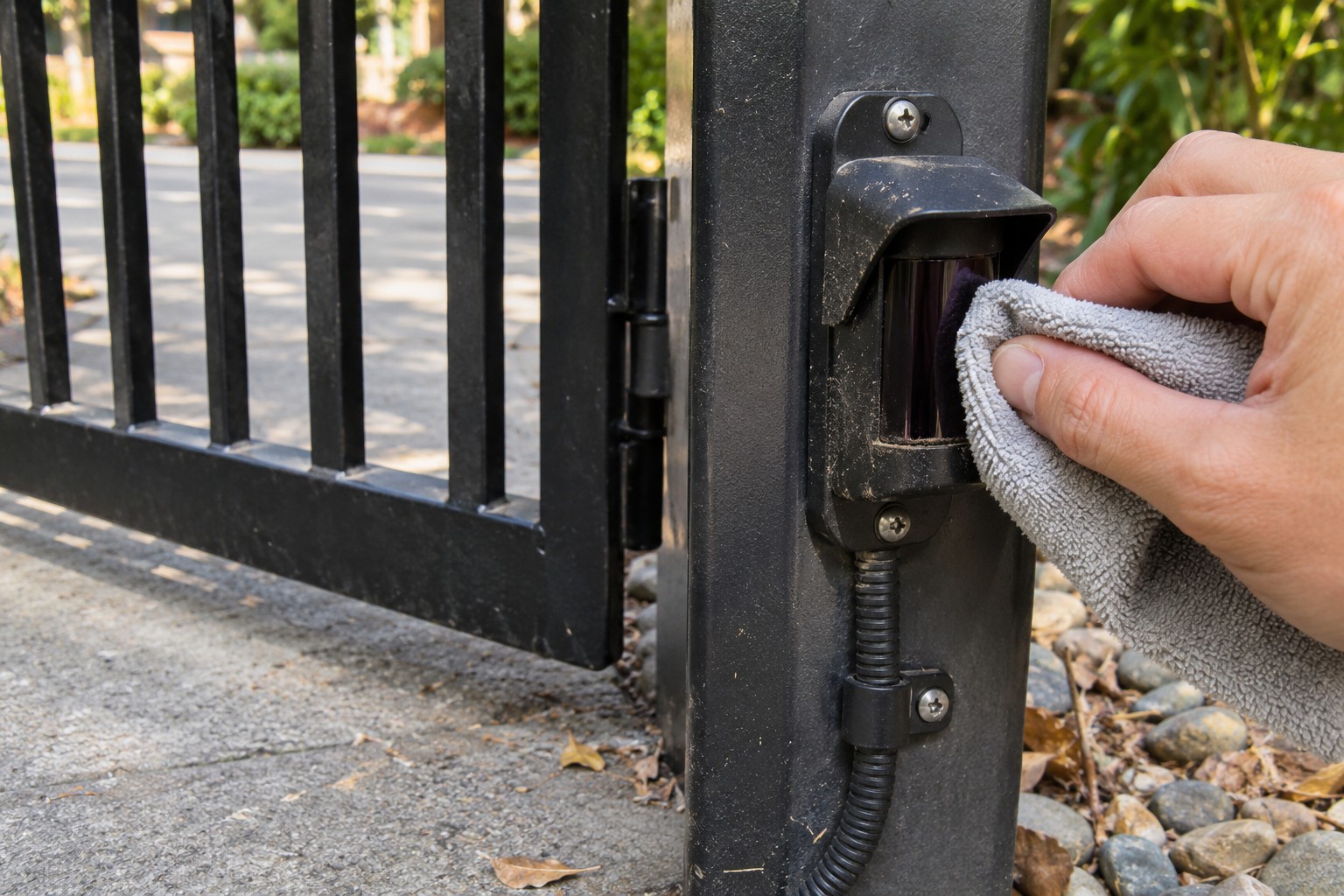
If the owner instructions permit external lens cleaning, the device is accessible without entering a hazardous area, and the gate has been made safe against unexpected operation using its model-specific procedure, clean the exterior optical surface as directed by the sensor manufacturer. Use its approved method rather than choosing a solvent or abrasive by guesswork.
Clean a reflector as well as the sensor where the installed arrangement uses one. Do not remove housings, alter adjustment screws, pressure-wash the device or spray liquid into cable entries. If contamination cannot be removed without dismantling the equipment, leave it to service personnel. A cracked lens is not a cleaning problem.
Cleaning is only a limited maintenance action. It cannot establish that the mounting location, coverage, electrical monitoring or response is correct. Keep a note of whether the symptom changed, but do not declare the system safe simply because an indicator now looks steady.
Interpret indicators using the exact sensor manual
Indicator colors and flashing patterns are not universal. A light may describe power, alignment, received signal or an output state, and the operator can show a separate diagnostic condition. Record the device model, the actual color and whether it is steady or flashing. Compare that observation with the matching manual, not a garage-door tutorial.
If both devices are visible safely, record both. A transmitter apparently having power does not establish that the receiver sees the beam or that the operator accepts the monitored signal. Likewise, one controller input indication does not prove that every entrapment zone has functioning protection.
Do not apply a garage-door sensor height rule to a driveway gate. Gate geometry, direction of movement, sensor type and entrapment zones determine the design. Repositioning a device, changing its wiring or substituting a different model requires a compatible system design and a qualified installer.
Understand why the response can differ by direction
An opening hazard and a closing hazard may be protected by different devices. The LA400UL manual distinguishes close-direction photoeyes from an open-direction eye or edge input; the described responses are different. That is a model-specific example, not a universal expectation that every blocked gate must reverse all the way open.
HySecurity’s SlideSmart DC manual also describes behavior affected by the sensor assignment and configuration. Some responses include stopping and later resuming when the obstruction clears. This is why an observer must not step into the path after the gate stops or assume it has been permanently disabled.
If the symptom occurs only during opening, tell the technician that explicitly. If it occurs only when closing, record that instead. Do not swap inputs or aim another eye across the driveway to make the symptom disappear. The original protected zone could then be left unguarded.
Separate environmental observations from a diagnosis
Notice whether faults coincide with low sun, rain, fog, dirt, vegetation movement or a post that has shifted. These details can help the technician reproduce the condition. They do not prove that sunlight or weather is the cause. A marginal connection or damaged device can also produce intermittent symptoms.
Photograph the overall sensor arrangement and record the time of a recurring problem. Avoid adding homemade hoods, moving reflectors or reducing sensitivity as an experiment. Such changes can affect field of view, weather protection or reliable detection. Ask for an assessment of alignment, mounting stability, compatibility and wiring together.
A vehicle exit loop is a different detection system from an optical beam. Report an exit-request problem separately so the technician can identify the correct device and input.
Return to use only after the relevant verification
The correct finish is verification of the installed protective system using the operator and sensor manufacturers’ procedures. Do not improvise a body-blocking test. A qualified service person should investigate persistent faults, damaged hardware, uncertain coverage or a system that did not respond as its instructions require.
Ask which device protects which zone and which owner checks you should perform in future. Record the approved checking procedure and service contact in the handover information. A photoeye is not a substitute for keeping people away from a vehicle gate or for having a separate pedestrian entrance.
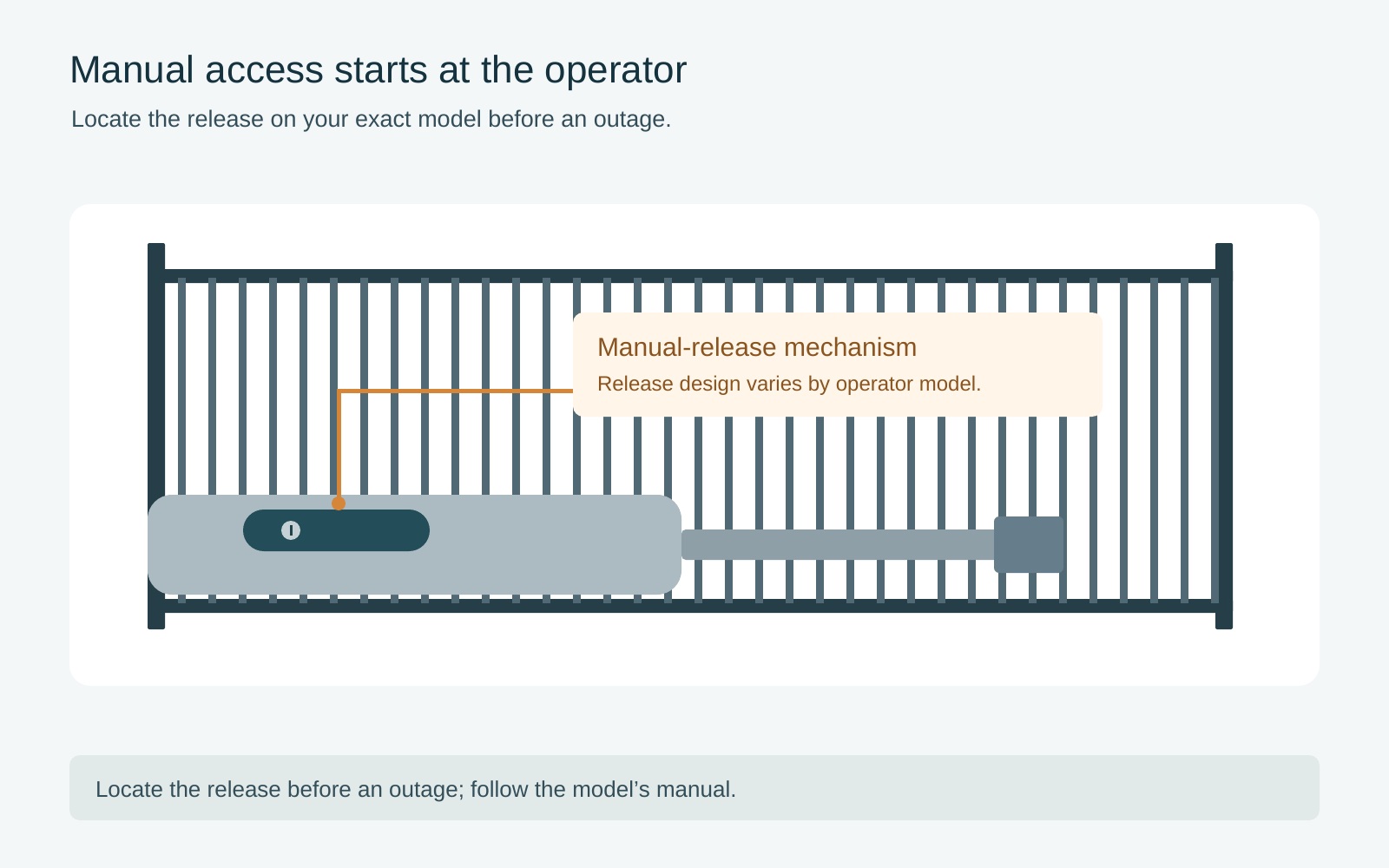
If you need access while the fault is unresolved, use a separate route. Manual access is a different decision with different hazards; consult the outage and manual-release guide rather than bypassing protection to obtain one more automatic cycle.
Frequently asked questions
Can I bypass the gate sensors to close once?
No. A bypass removes a protective input instead of fixing the fault. Keep automatic operation suspended and arrange safe access and qualified service.
Do gate sensors use the same mounting rule as garage-door sensors?
No. Gate geometry and protected zones are different. Use the exact gate operator and sensor documentation and a qualified installer.
Does a steady sensor light prove the gate is safe?
No. An indicator describes a device state, not the complete protection arrangement. The prescribed checks still need to verify the installed system.
Related Posts
 Practical Guide
Electric Gate Not Working: Safe Checks Before Service
Separate a control problem from a gate-system fault with safe observations, then give your gate technician the information needed to investigate.
 Practical Guide
Open an Electric Gate During a Power Outage: Manual Access Safely
Decide whether backup power or model-specific manual access is appropriate, with safeguards against unexpected movement and an uncontrolled gate.
Sources
Manufacturer instructions and references for this guide. Match the document to your exact product.
- LiftMaster LA400ULsupport.chamberlaingroup.com
- HySecurity SlideSmart DCsupport.hysecurity.com