Share, Remove, or Transfer myQ Garage Access
Give another person access through their own myQ login, not your password. Choose limited access for someone who only needs entry, review it when circumstances change, and treat handing over ownership as a separate job.
This guide covers household access to compatible residential equipment. It is not a guide to property-managed myQ Community access. For the connection and hardware basics, read how the myQ app works.
Start with the permission, not the invitation
Write down who needs entry, which door they need, and whether access should end. A cleaner visiting on Tuesdays has a different requirement from someone who will administer the home. Do not choose a more powerful role merely because it is quicker to find.
- Household User: regular door access with selected devices and available access periods.
- Co-Owner: broader control, including inviting other users. Reserve it for someone you trust to manage access.
- Quick Pass: a PIN for eligible PIN-enabled equipment, not a universal code for every garage opener.
Features depend on the device. For example, current support guidance restricts shared myQ camera access to Co-Owners. Check the actual permissions displayed before sending an invitation; do not assume sharing a door also grants or excludes video.
Invite and verify one person
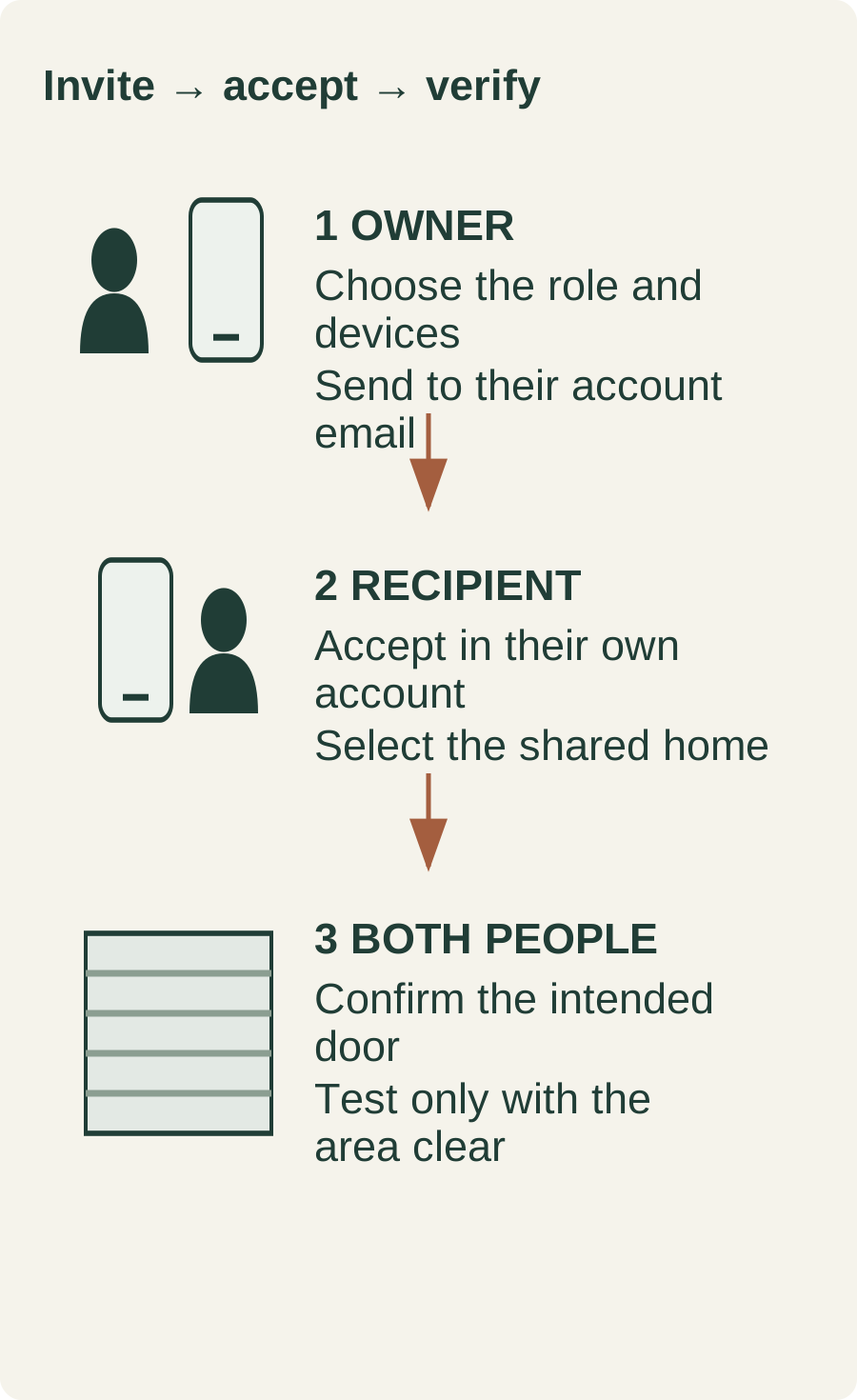
- Have the recipient confirm the email used for their own myQ account.
- Open the app's user-management area. Current support pages use both Users and User & guest access; the layout may differ.
- Select the role, intended devices and any offered access period. Review these together before sending.
- The recipient accepts the pending invitation in their app. Invitations expire after seven days.
- Confirm the correct shared home and door appear. Plan an observed test when the doorway is clear, not a surprise remote operation.
Keep children away from the door and its controls. A received invitation is not permission to operate a door with people, pets or equipment in its path. Never defeat safety devices to complete a test.
If the invitation or door is missing
Check the account email, pending invitations and spam folder. Apple Hide My Email can mean the account uses a private relay address rather than the person's usual email. After acceptance, select the shared home using the home selector. The owner should check device selection and access times before resending. An expired or wrongly addressed invitation is not a reason to factory-reset the opener.
Remove access without resetting the whole system
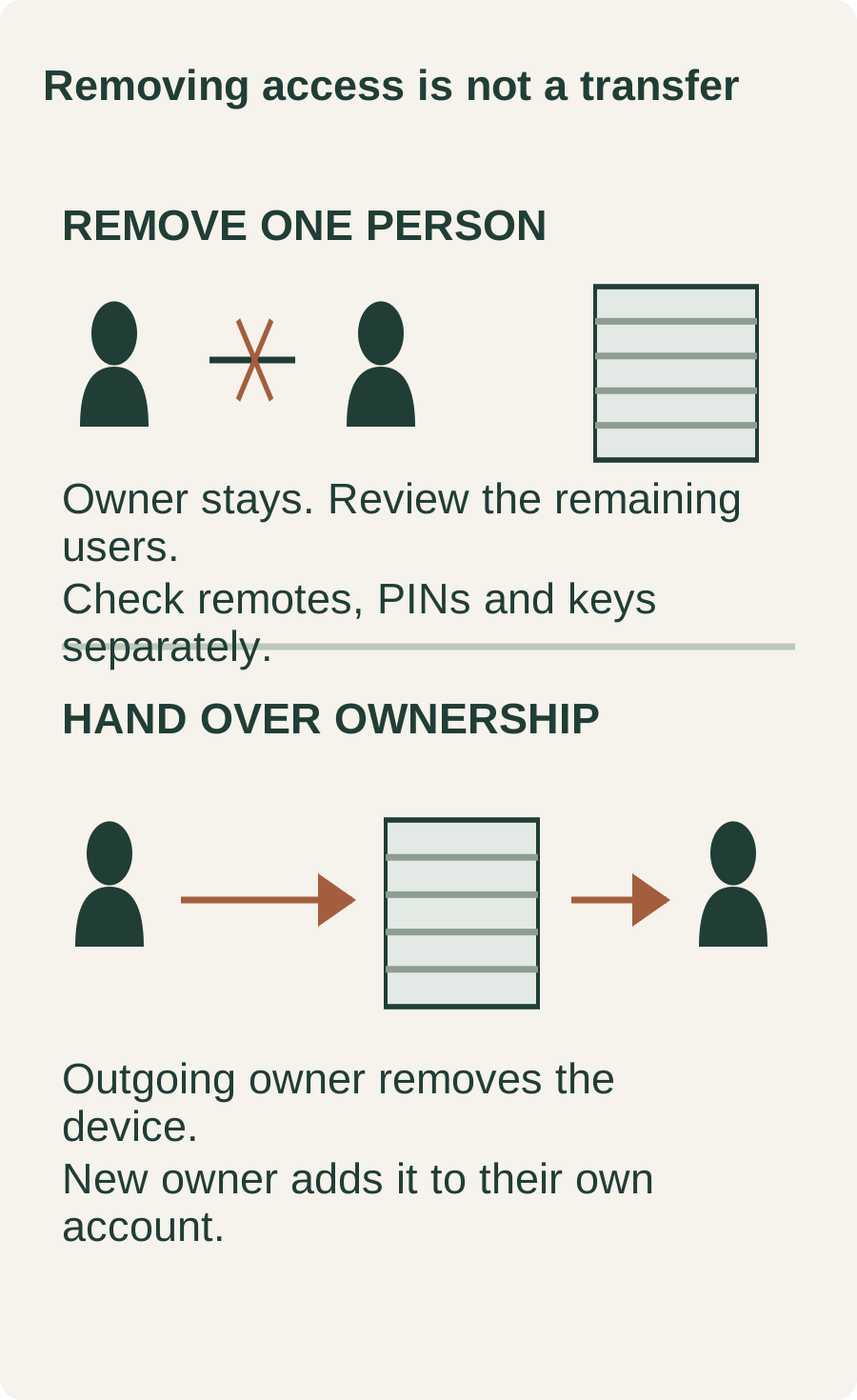
Open the person or PIN in user management, review it, and confirm removal. Afterwards, inspect the remaining list rather than assuming the first tap succeeded.
Then make a separate physical-access checklist: handed-out remotes, keypad codes, keys and any other entry system. Removing one app invitation should not be treated as proof that every other credential is invalid. If someone knew the owner's login, removing their guest entry alone does not address that shared login. Secure the account and review its recovery details too.
Each person should complete their own two-step verification. Do not circulate a password or forward sign-in codes as a substitute for proper shared access.
Moving out or changing the primary owner
Adding a Co-Owner is not an ownership transfer. For an authorized handover, the outgoing owner removes the device from their account, and the incoming owner adds it to theirs. Coordinate the change so nobody loses the only working way into the property.
If the device remains linked to another account or shows Error 310, use the manufacturer's ownership guidance. A Wi-Fi reset is not the same as a factory reset. Follow the exact device procedure in our myQ reset guide; do not improvise a button-hold sequence. If the ownership error persists, contact myQ support with the device identification.
Review subscriptions separately: removing a device does not itself stop billing. Also document the handed-over remotes, PINs and remaining access permissions, without writing passwords or live codes into a shared checklist.
Quick questions
Can I rename the home to change its owner?
No. A display name is not an ownership handover.
Should I give everyone my login?
No. Separate accounts make it possible to manage each person's access instead of sharing the owner's credentials.
Does this include a paid camera plan?
No plan is promised here. Review the device's current sharing permissions and subscription terms separately.
Is removing a user a complete security audit?
No. Review other app users, account recovery, remotes, codes and physical entry methods as separate items.
Related Posts
 DIY Guide
How Does the myQ App Work?
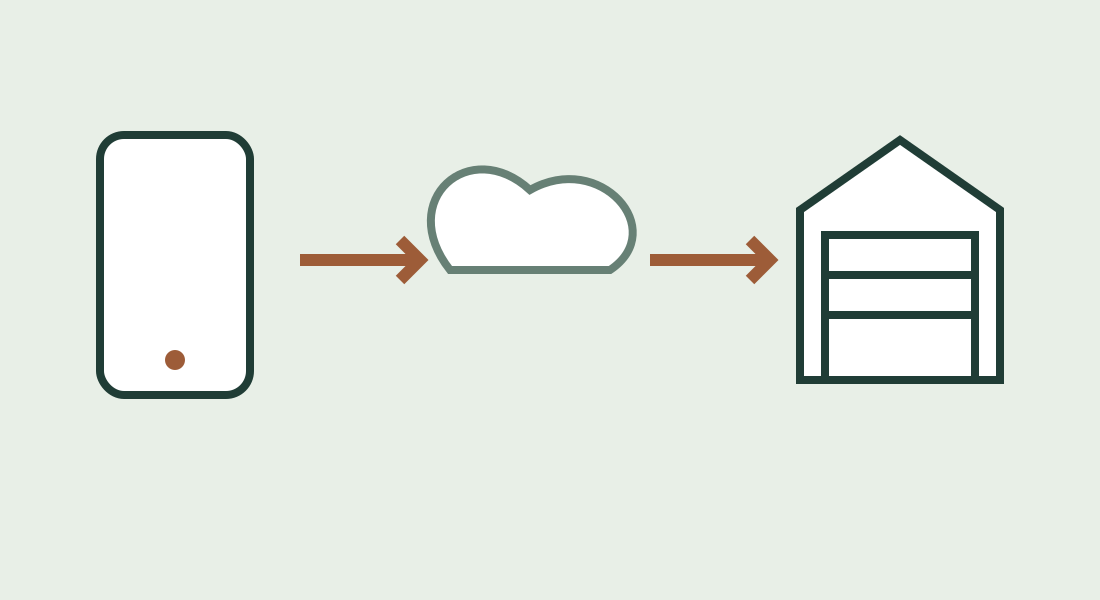
Learn how myQ connects your phone to a compatible garage door opener, what the sensor does, and how Wi-Fi, offline use and subscriptions differ.
 DIY Guide
How to Reset myQ: Reconnect First, Factory-Reset Only When Needed
Restore an existing myQ device after network changes, identify built-in Wi-Fi versus a hub, and avoid unnecessary ownership or accessory resets.
Sources
Manufacturer instructions and references for this guide. Match the document to your exact product.
- Chamberlain Group: myQ user roles and device limitssupport.chamberlaingroup.com
- Chamberlain Group: invitations, account selection and removalsupport.chamberlaingroup.com
- Chamberlain Group: missing invitationssupport.chamberlaingroup.com
- Chamberlain Group: ownership changes and Error 310support.chamberlaingroup.com
- Chamberlain Group: two-step verificationsupport.chamberlaingroup.com
- Chamberlain Group: separate myQ accountssupport.chamberlaingroup.com
- myQ: terms and operating safetywww.myq.com