How to Change the Code on a Garage Door Keypad
Quick answer
To change a garage keypad code, identify the keypad model and use its existing-PIN change procedure if you know the current PIN. Then let the keypad return to idle and verify, in the fresh opening check described below, that the new PIN works and the previous PIN no longer grants access.
We recommend treating a PIN change as an access-management task, not just a button sequence. A changed keypad code does not automatically remove a missing handheld remote, vehicle transmitter, app user, or separate temporary code.
Before you begin
Have the keypad model, its instructions, the current PIN if known, and a new private PIN of the permitted length. Keep another authorized entry method with you until testing is finished. Do not write either PIN on the keypad or include it in a public photo.
Allow about 10–20 minutes for a known-PIN change and verification. Forgotten-PIN recovery may take longer because it can involve pairing at the opener. Only change access for equipment you are authorized to administer.
Keep the door's movement area clear. If the door is visibly damaged, do not operate it to test a code; resolve that safety issue first.
1Choose the correct branch
| Situation | Appropriate route |
|---|---|
| Current PIN works and you want another | Existing-PIN change |
| PIN forgotten, but you have authorized access inside | Model-specific recovery or initial pairing |
| Visitor's temporary access should end | Temporary-PIN removal or expiry procedure |
| Remote was lost or stolen | Opener radio-access management |
| A former user has app access | Authorized account/shared-access management |
2Example: 940EV/877MAX known-PIN change
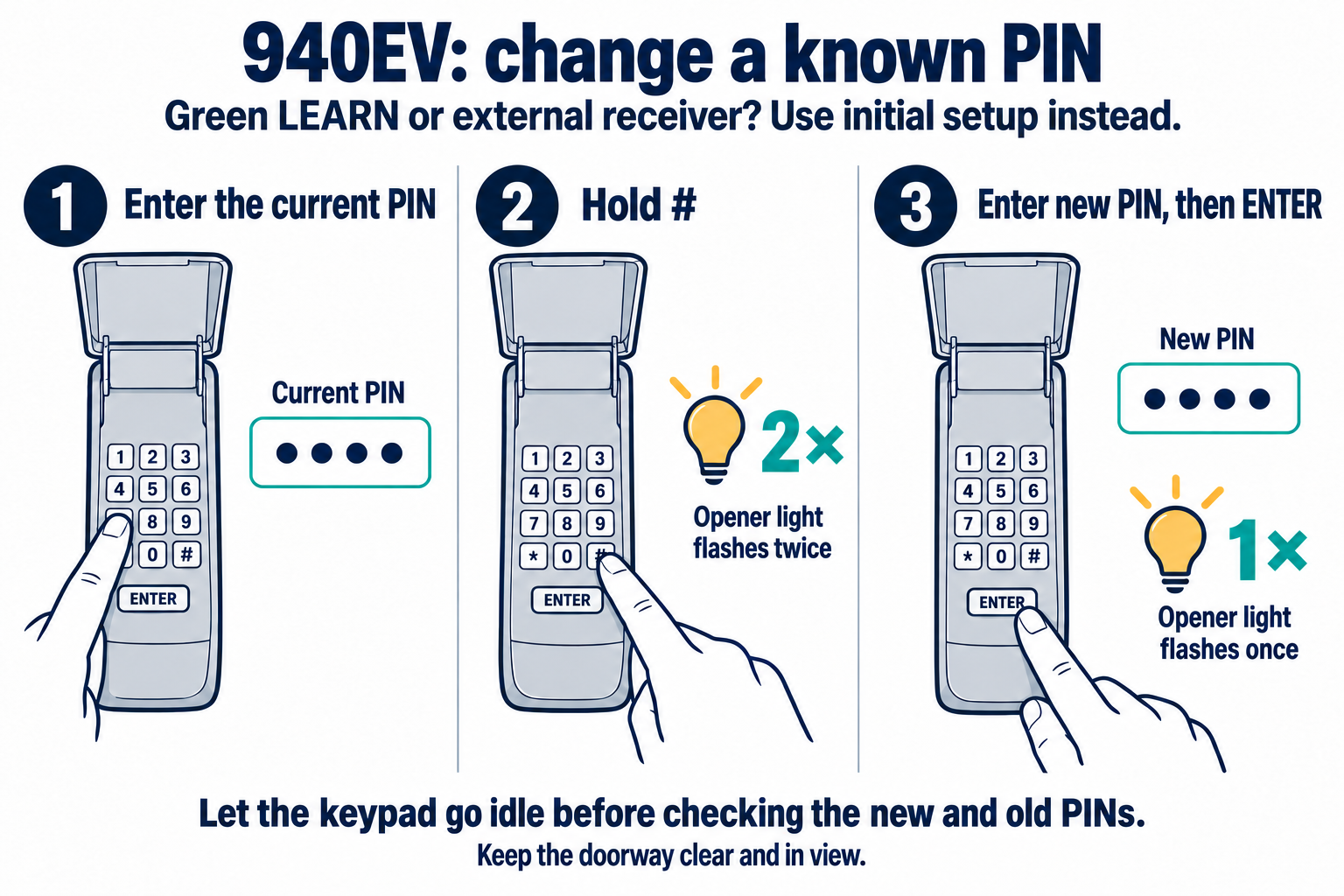
940EV: change a known PIN
Use this shortcut only when the current PIN is known and the receiver branch supports it. Green-LEARN and external-receiver installations require initial setup instead.
Scroll sideways for detail, or open the full-size diagram. The complete instructions are written below.
Open full-size diagram and zoom (new tab)
- Green LEARN or an external receiver: use initial setup instead of this shortcut. Unknown current PIN also needs the appropriate initial-setup route.
- Enter the current PIN. Hold # until the OPENER light flashes twice; release.
- Enter a new private four-digit PIN, then ENTER. The OPENER light flashes once.
- Let the keypad become idle before testing each PIN. With the doorway clear and in view, use the fresh opening check described below to verify that the new PIN works and the old PIN no longer does.
- Changing this PIN does not by itself revoke handheld remotes, vehicle controls or app access.
Manufacturer instructions · Additional manufacturer reference
For 940EV/877MAX, enter the working PIN, hold pound until two opener-light flashes, enter a new four-digit PIN, and press ENTER. One flash confirms the change.
Exception: green-LEARN or external-receiver installations use the initial-PIN route instead. Confirm your exact model before using either method.
940EV: change a known PIN and verify fresh opening access
- Use only the identified Chamberlain 940EV known-PIN change branch. You must know the current programmed PIN.
- For a green Smart/Learn button or an external receiver, use the full initial-setup route instead; do not use this shortcut. Do not invent a reset route for a forgotten PIN.
- Use a sound door and working opener lamps; keep the complete path clear and visible. Before the final test start with the door fully closed and wait for keypad blinking to stop.
- Evaluate a fresh opening request from an idle keypad. ENTER-only closing is not proof of PIN acceptance.
Scroll within the image if needed, or open the full-size view. The key details are also written below.
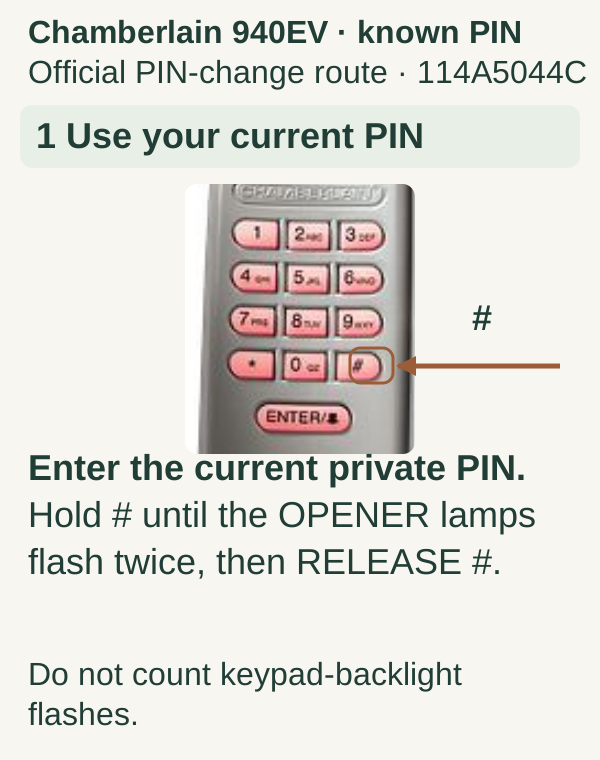
For the identified 940EV known-PIN branch, enter the current private PIN. Hold # until the opener lamps flash twice, then release #. Count opener-lamp flashes, not keypad-backlight flashes.
Scroll within the image if needed, or open the full-size view. The key details are also written below.
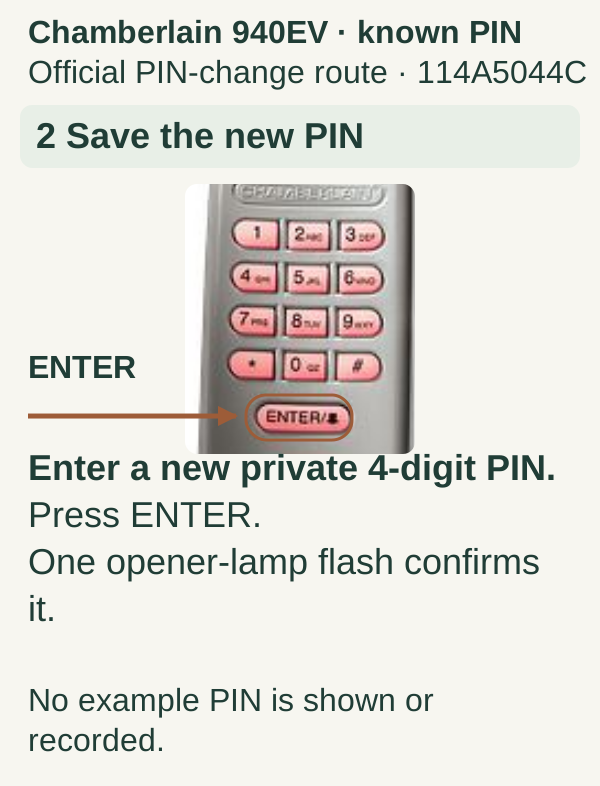
Enter a new private four-digit PIN and press ENTER. One opener-lamp flash confirms the change. No example PIN is shown or recorded.
Scroll within the image if needed, or open the full-size view. The key details are also written below.
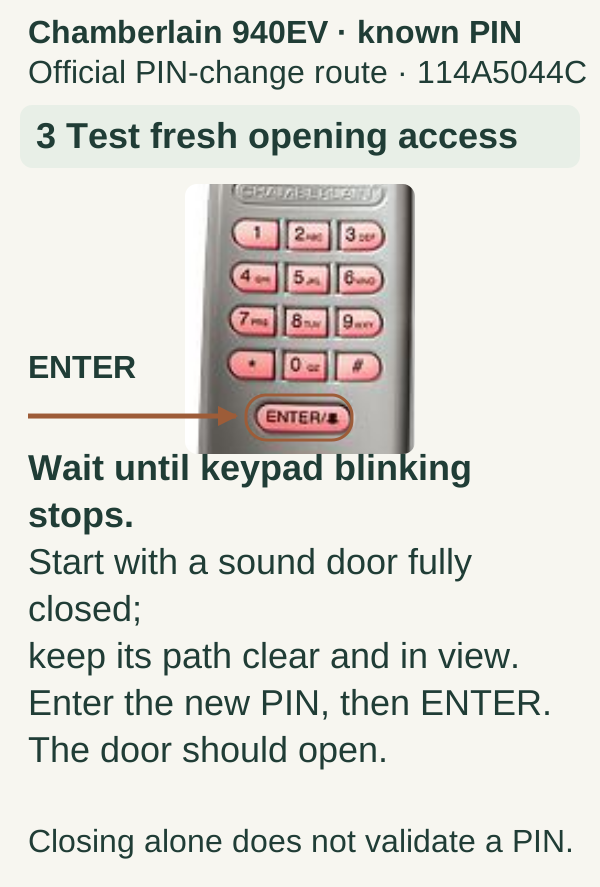
Wait until keypad blinking stops. Start with a mechanically sound door fully closed and keep its entire path clear and visible. Enter the new PIN, then ENTER; the door should open. Closing alone does not validate a PIN. Use the fresh-opening check described below when verifying that the previous PIN no longer grants access.
3Example: Genie GK-R known-PIN change
For the Genie GK-R procedure documented by Genie, enter the current PIN and press PROGRAM once. Enter the new PIN and press PROGRAM again. Allow the keypad to return to its normal state before trying the new PIN with its UP/DOWN key.
This is the GK-R route, not a generic instruction for every Genie keypad. Newer and universal products can use another key arrangement or sequence. If your keypad does not have the described controls, identify its model rather than substituting a nearby key.
We recommend choosing the new PIN before beginning so you do not pause mid-sequence or accidentally enter a familiar old code from habit.
4Test without being misled by an active keypad
First, confirm the new PIN opens the intended door under the safe conditions described below. Then wait for the model's documented active-entry period to end before testing the old PIN.
This matters because certain keypads remain active briefly after a successful entry. During that interval, a follow-up button press may operate the opener without representing a fresh PIN authentication. Testing the old code immediately can therefore produce the wrong conclusion.
For the covered 940EV, evaluate a fresh opening request with the mechanically sound door fully closed, the keypad idle, and the entire doorway clear and in view. Closing is not proof that a PIN was accepted: supported installations may allow ENTER-only closing. If the old PIN still opens the door from that fresh idle state, review the exact model procedure and any temporary-PIN feature. Do not cycle a damaged or unstable door to test access. Do not assume the change was successful solely because the new code worked once.
5Check other access that should remain or end
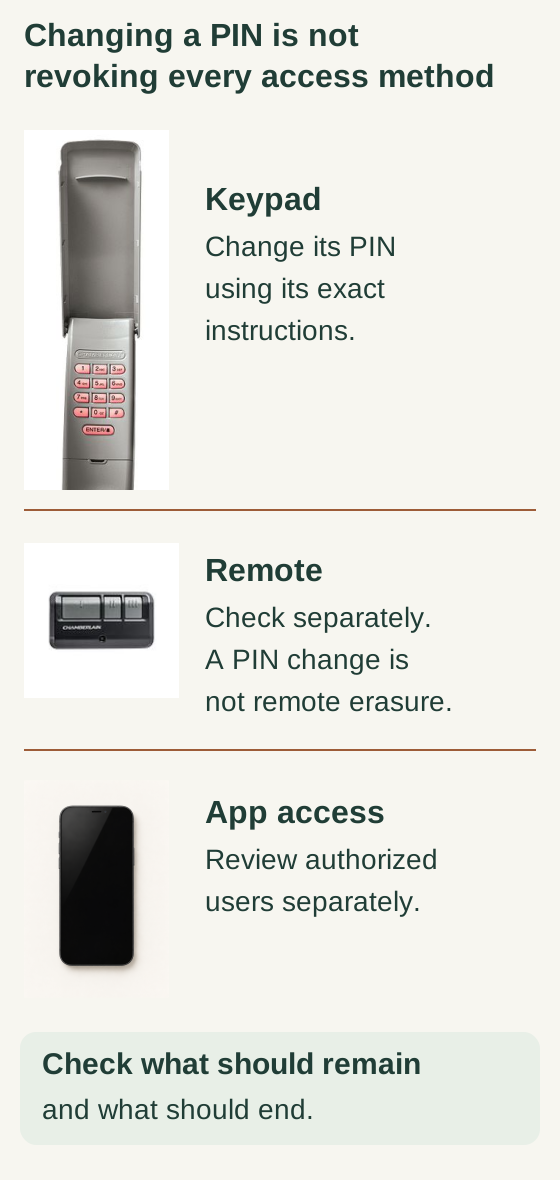
Scroll within the image if needed, or open the full-size view. The key details are also written below.
A keypad PIN, a handheld remote and app authorization are separate access methods. Change the PIN using the exact keypad instructions; review remote access and authorized app users separately.
A PIN change is not remote erasure. Check which access should remain and which should end. The pictured devices do not establish compatibility.
For an ordinary household PIN update, test an existing remote that should still work. Tell authorized users the new PIN through an appropriate private channel rather than leaving a note outside.
If the change follows a move, a lost device, or a change in household access, make a separate inventory: keypads, handheld remotes, vehicle buttons, app users, and any connected services. Each can have its own access path. Use the relevant authorized procedure for the access you intend to remove.
Do not erase everything by default. A deliberate inventory helps you avoid locking out a legitimate user while leaving the actual unwanted access unchanged.
If you forgot the existing PIN
Use another authorized entrance and identify the keypad and opener. The manufacturer's recovery or initial-pairing route may require physical access to the opener's programming control. If you are a tenant or do not administer the system, ask the owner or responsible property manager to handle that change.
Do not guess a sequence of supposed factory master codes. We also do not recommend using battery removal as proof that previous access has been deleted; many accessories retain programming.
Common mistakes and questions
Will changing the PIN delete the car button? Not necessarily. Treat vehicle radio pairing separately from the keypad's PIN.
Can I use the same PIN for every property? We recommend distinct private codes so one disclosed code does not expose several entrances.
The keypad is dark after I change the code. Did I break it? Check the battery and normal sleep behavior before attempting another reset. A power problem and an invalid PIN are different symptoms.
Do temporary codes disappear when the main PIN changes? Do not assume that across models. Read the keypad's temporary-access rules and verify the intended result.
Key takeaways
Use the exact keypad's known-PIN or recovery route, verify from idle, and separate a PIN update from broader access revocation. The job is complete when the intended users can enter and the specific old access you meant to remove no longer works.
Explore guides · About this guide
Was this guide useful?
Your choice stays in this browser only. It is not sent to us.
Sources & manuals2
Manufacturer instructions and references for this guide. Match the document to your exact product.
- Manufacturer instructionssupport.chamberlaingroup.com
- Additional manufacturer referenceembed.widencdn.net