How to Manually Lock a Garage Door Without Fighting the Opener
Quick answer
Use only an existing, manufacturer-approved lock on a fully closed, sound garage door. Before engaging a manual lock, prevent powered operation using the opener manufacturer’s shutdown instructions, including any backup power. A wall-control “lock” button is not necessarily a physical door lock or a complete power lockout. Never run an opener against an engaged manual lock.
No improvised lockouts. Do not drill the track, clamp a roller, attach a chain to spring hardware, or use a padlock arrangement that the door manufacturer has not approved.
First, identify what kind of lock you have
Scroll the diagram sideways when needed. Keyboard: focus the diagram, then use the left and right arrow keys.
Open full-size wide diagramOpen full-size mobile diagram
What the diagram shows
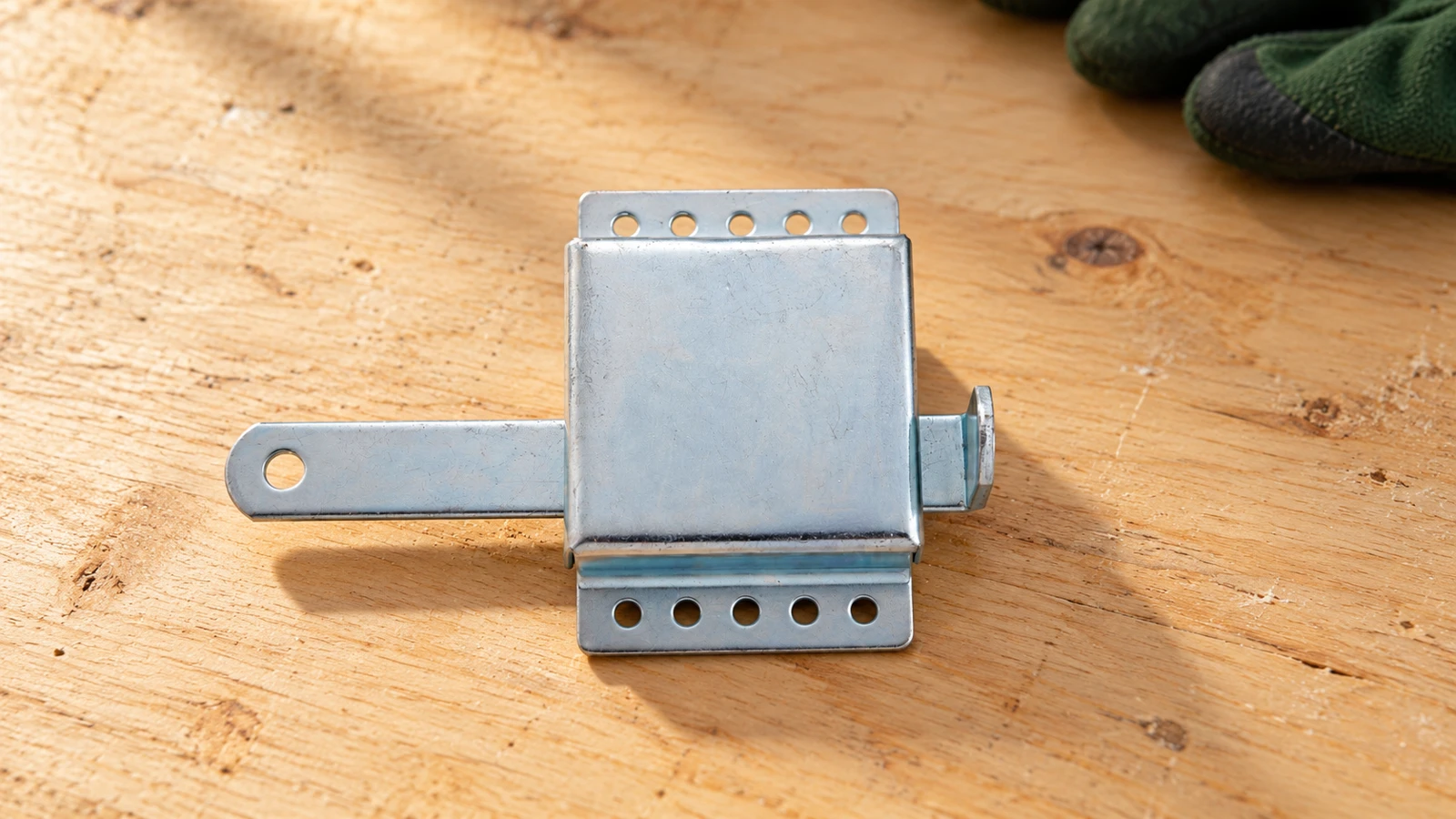
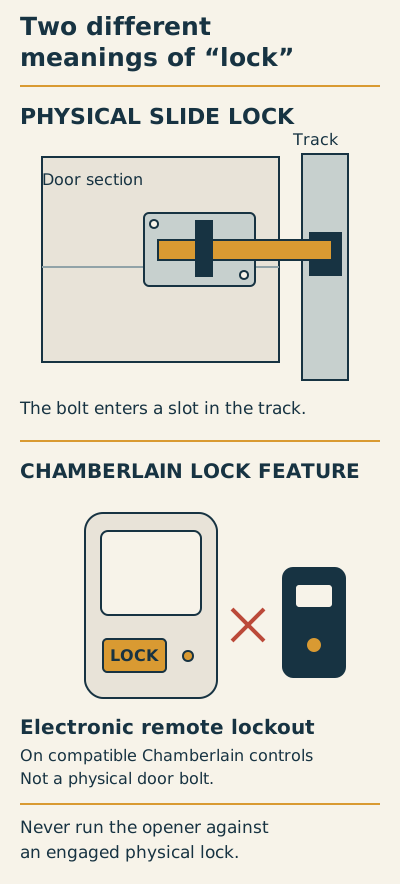
A physical slide lock puts a bolt into a slot in the door track. Never run the opener against an engaged physical lock.
On compatible Chamberlain controls, the LOCK feature restricts remote operation. This electronic remote lockout is not a physical door bolt. Follow the model-specific manual.
“Lock” can mean three different things.
Identify the function before changing the door’s state.
| Type | What it does | What not to assume |
|---|---|---|
| Existing manual door lock | Mechanically prevents door travel when engaged. | Its presence means it is approved for use with the installed opener. |
| Remote-lock mode | On the Chamberlain controls described by its support guide, it blocks handheld remote operation. | The door is physically locked, or every source of powered movement is disabled. |
| Compatible automatic lock | Works as part of its specified operator system. | It uses the manual-lock procedure. For example, 041-9129 is a 12V replacement lock for specified 12V systems. |
Safe handoff for an approved existing manual lock
- Before locking: door already closed and sound; exact door/opener instructions permit the lock; access and exit planned.
- Prevent powered movement first: follow the manufacturer’s shutdown method, including backup power. If you cannot establish this safely, do not engage the lock.
- While manually locked: tell all users not to operate remotes, wall controls or apps. Leave a clear reminder at a safely accessible control.
- Before restoring automatic operation: fully disengage every manual locking point, visually confirm travel is unobstructed, then follow the specified restoration checks.
Do not add, force or modify a lock to secure a damaged or off-track door.
Chamberlain: remote-lock mode · Automatic lock 041-9129: compatibility · Genie: manual locks and opener safety.
A manual slide bolt is a physical obstruction that secures a compatible closed door. A keyed handle may operate a separate manual locking mechanism. An automatic door lock supplied for a particular opener is part of that operator’s system and follows its own instructions.
A remote-control lock mode does something different. Chamberlain describes lock mode as preventing handheld remote operation; it should not be treated as a physical latch. Other controls can behave differently, so read the instructions for the actual model.
The practical question is not “Does something say LOCK?” It is “What is being locked, what can still command movement, and how will I safely restore operation?” Answer all three before changing anything.
Safe assessment: five checks before locking
Scroll within the image if needed, or open the full-size view. The key details are also written below.
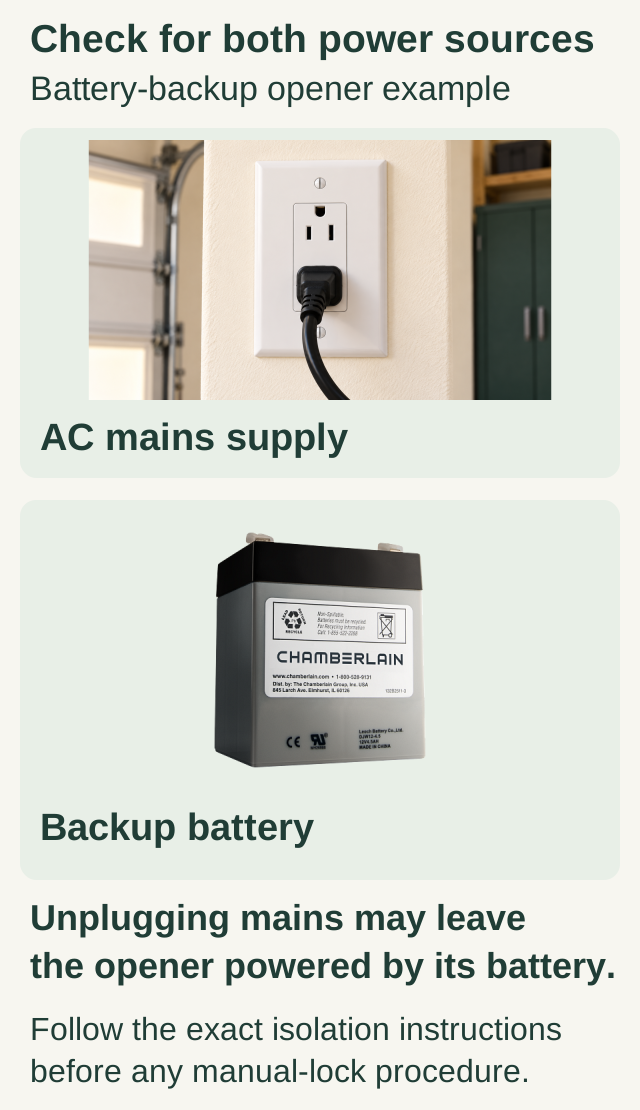
A battery-backup opener can have both an AC mains supply and a backup battery. Unplugging or losing mains power may leave the opener powered by its battery.
Follow the exact isolation instructions before any manual-lock procedure. The battery specimen is not a fit guide, and the picture is not a disconnect or testing procedure.
- Check the door’s condition and position. From outside its travel path, confirm it is completely closed, level, and visibly undamaged. If it is crooked, partly open, or has a loose cable, do not force it down. Expected outcome: a door suitable for normal lock operation.
- Identify the installed lock. Find its operating instructions and confirm that it belongs on this door. An unused bolt may have been intentionally disabled when an opener was installed. Expected outcome: documented permission to use it, not an assumption based on its presence.
- Check the opener instructions. Find how to prevent all powered movement, including operation on battery backup. Do not open electrical housings or disconnect internal wiring. Expected outcome: a safe, model-approved method you can perform without exposed electrical work.
- Plan access and exit. Make sure nobody will be trapped and that you have an authorized way back in. If this is the only entrance, do not disconnect or lock the system without an access plan. Expected outcome: security without an avoidable lockout.
- Coordinate with everyone who uses it. Tell household members that automatic operation is unavailable. Put a clear temporary reminder at the wall control. Expected outcome: nobody attempts a powered opening while the bolt is engaged.
Operate only the approved lock
Once the prerequisites are satisfied, operate the existing lock exactly as its instructions describe. It should reach its intended position without forcing the door, levering a bolt, or altering the track. If it binds, stop. Misalignment can be a door problem; forcing the lock is not a repair.
A lock must not become a substitute for diagnosing a door that will not stay down. Nor should it be used to secure a leaning or off-track door while someone works underneath. A damaged system needs professional stabilization, not a stronger padlock.
Automatic locks require a different approach. For example, Chamberlain publishes a dedicated owner’s manual for its 041-9129 automatic lock. Use the exact accessory instructions rather than applying a slide-bolt procedure to a powered latch.
Use a two-state reminder. Label a temporary card “MANUALLY LOCKED — DO NOT OPERATE.” Remove it only after the lock is fully disengaged and the approved restoration checks are complete.
Restoring automatic operation
Start by confirming that everyone is clear and that you still have the appropriate manual. Fully disengage the manual locking mechanism and visually verify that it no longer obstructs travel. If you cannot confirm the unlocked position, do not power the opener.
If the opener was mechanically disconnected, use its model-specific reconnection procedure only with an intact, closed door. Restore power as directed by the manufacturer, then observe the permitted operating check from a safe position with the entire door visible. Stop at any hesitation, distortion, scraping, or unusual noise.
Do not assume that because one bolt is released, every lock is released. Doors may have more than one locking point. A household handoff should identify exactly what was engaged and what was subsequently checked.
Common mistakes
- Confusing vacation or remote lock mode with complete shutdown.
- Forgetting that battery backup can preserve powered operation.
- Engaging an old, disabled lock without checking compatibility.
- Testing the opener “just once” against a locked door.
- Leaving security arrangements unexplained to other users.
FAQ
Is unplugging the opener always enough?
Not necessarily. Battery-equipped systems need their specified shutdown procedure. If you cannot safely establish complete lockout, do not add or engage a manual obstruction.
Can I add a slide lock myself?
This guide covers operation of an approved existing lock, not installation. Ask the door and opener manufacturers about compatibility before modifying either system.
What if I cannot lock a damaged door?
Keep people away, secure other entrances where safe, and ask a qualified technician about stabilization. Do not stand under the door or improvise a restraint to protect belongings.
Explore guides · About this guide
Was this guide useful?
Your choice stays in this browser only. It is not sent to us.
Sources & manuals3
Manufacturer instructions and references for this guide. Match the document to your exact product.
- Chamberlain: remote-lock modesupport.chamberlaingroup.com
- Automatic lock 041-9129: compatibilitysupport.chamberlaingroup.com
- Genie: manual locks and opener safetywww.geniecompany.com