How to Program a Garage Door Opener: Start With the Right Pairing Method
Quick answer
To program a garage door opener, first match the opener model, remote model, and radio generation. Then use the pairing procedure for that combination. There is no button sequence that safely covers every opener. A remote, keypad, car transmitter, and phone app can each require a different setup route.
We recommend starting with identification rather than pressing a convenient-looking button. This avoids two frustrating outcomes: trying to teach an incompatible remote and accidentally deleting devices that already work.
What you need and how long to allow
Have the remote, its instructions, the opener model number, a flashlight, and a phone for photographs. Use a stable stepladder only if the identification label or permitted controls cannot be reached safely from the floor. A second adult can help with a timed pairing window, but should remain outside the door's travel area.
Allow roughly 15–30 minutes for identification, one pairing attempt, and testing. This is a planning estimate, not a promise; locating an older manual can take longer. Only program equipment you own or have permission to manage. Keep another authorized way into the garage available.
1Decide what you actually want to program
Choose the device before choosing instructions:
| Your goal | Use this route |
|---|---|
| Add a handheld transmitter | Remote-to-opener pairing |
| Set up an exterior number pad | Keypad programming, including PIN creation |
| Add a dashboard or mirror button | Vehicle system plus opener instructions |
| Restore phone control after changing a router | Network reconnection |
| Remove a missing remote's access | Deliberate memory management, not ordinary pairing |
2Record three pieces of identification
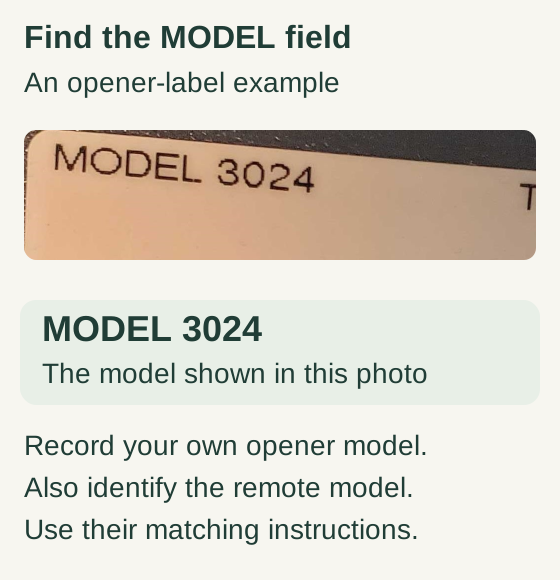
Scroll within the image if needed, or open the full-size view. The key details are also written below.
The opener-label example reads MODEL 3024. Record the model on your own opener, identify the remote model separately, and use their matching instructions. This example does not identify your hardware or establish compatibility.
Read the label on the motor unit for the complete model, including suffixes. Read the remote's label separately; the brand on its front is not enough. Finally, photograph the accessible programming controls and indicator lights without opening an electrical enclosure.
Chamberlain Group identifies many remote models on a rear sticker, sometimes behind a removable visor clip. Genie maintains separate instructions for current and older accessories. These are useful reminders that two similar cases can contain different electronics.
If a label is unreadable: use a clear photograph and manufacturer support to identify the device. Do not substitute the number from an online photograph merely because the shell looks similar.
3Check compatibility before entering learning mode
Worked example: identify the original 8500 pairing control
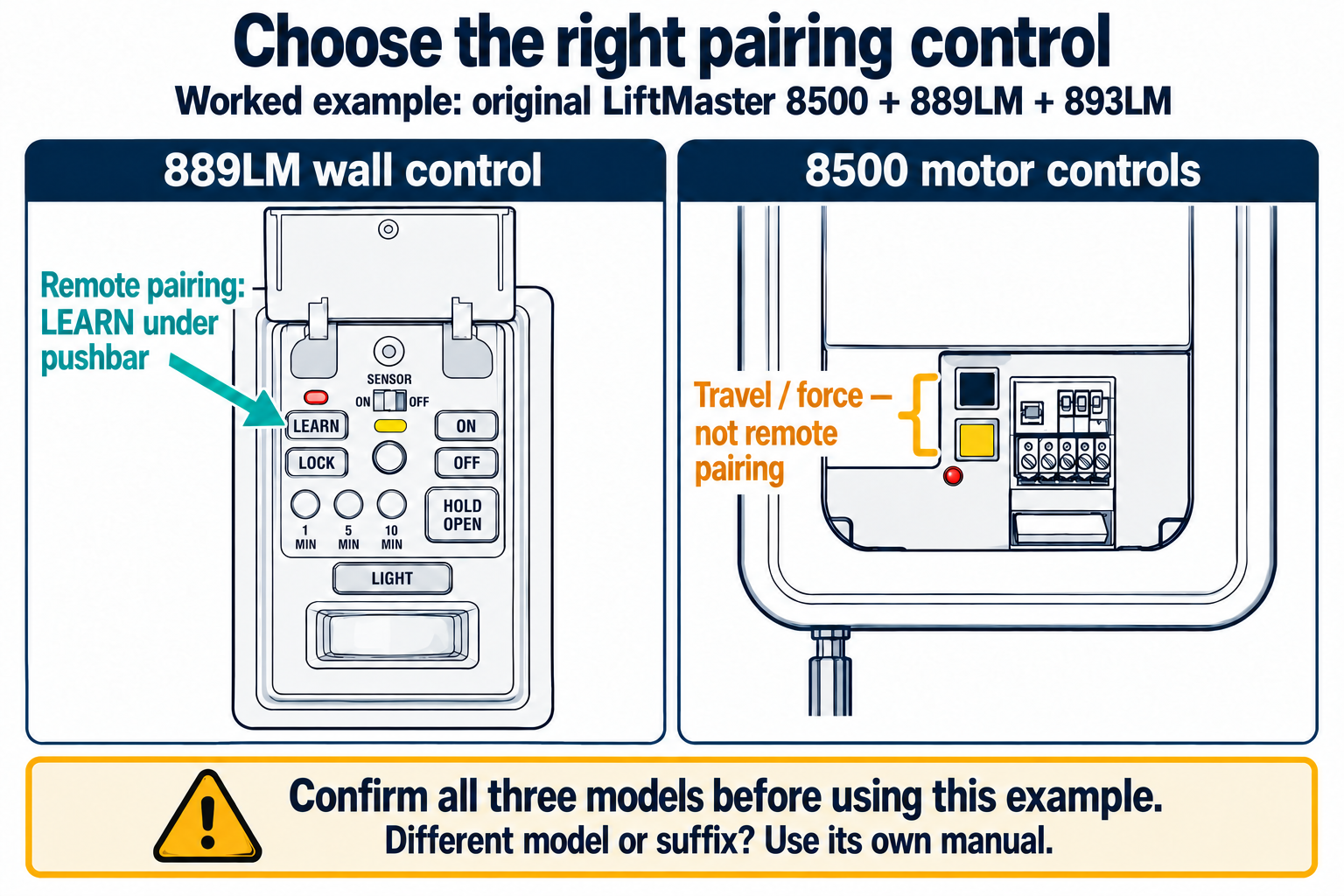
This example is limited to the original LiftMaster 8500 with an 889LM wall control and 893LM remote. Confirm all three model numbers before using it. Other models or suffixes need their own instructions.
Scroll sideways for detail, or open the full-size diagram. The complete instructions are written below.
Open full-size diagram and zoom (new tab)
- Lift the 889LM pushbar. The LEARN button is on the left, below the red Learn indicator; LOCK is below LEARN.
- The original 8500 motor unit has black and yellow travel/force controls. Leave those controls alone when adding a remote.
- After confirming the exact compatible combination, follow the 8500/889LM/893LM pairing sequence.
LiftMaster 8500 pairing instructions · 889LM manual
Look up the exact accessory in the manufacturer's compatibility information. Where a guide uses LEARN-button color, also check model and generation restrictions. A color chart from an older accessory is not permission to pair it with every later opener carrying a similar color.
A universal remote also has a specific supported-device list. “Universal” does not mean every opener, every country, or every generation. Stop here if the combination is not supported; repeated programming attempts cannot add a missing radio protocol.
4Prepare a safe test area
Start with a normally operating door in the position required by its instructions. Remove vehicles and loose items from the travel area. Tell everyone nearby that the door may move during setup. Keep children and pets elsewhere, and keep the controls with the adult doing the work.
Read the complete pairing section before beginning. Locate the correct control, the confirmation indicator, and the timeout. Do not hold LEARN merely because a quick press seems ineffective: a longer hold can have a different purpose.
5Pair once, then verify the right result
Follow the exact manual's sequence. Watch for its specified confirmation rather than assuming any flash means success. If the time window expires, let the programming state end and begin again from the documented starting point. Avoid adding extra presses between steps.
After confirmation, move away from the ladder and test the chosen remote button with the door in full view. Check that it operates the intended door. Then check a previously working control. A successful addition should leave the intended household access available; an unexpected loss of older controls needs investigation.
When programming does not work
- No remote indicator: check the shipping battery tab, correct battery installation, and damaged contacts.
- Remote lights but never pairs: verify compatibility and the actual programming-control location.
- Works nearby but not from the driveway: investigate battery condition and radio interference rather than repeatedly pairing.
- Opens but will not close: inspect the closing symptom and safety-sensor indicators. Do not bypass the sensors.
- All older remotes stopped working: stop experimenting and determine whether memory was erased.
Common questions
Will programming a new remote erase the old ones? Ordinary addition and erasure are different operations. Read the selected procedure's consequences before starting.
Can I do this without the old remote? Many opener-to-remote procedures do not depend on one, but vehicle training and particular accessories may. Choose the actual device route.
What if the door is crooked, a cable hangs loose, or a spring is visibly broken? Stop operating it. Keep people away and have the mechanical fault assessed before any control testing.
Key takeaways
Identify first, verify compatibility second, pair third. Keep exact timing with the exact model it belongs to. We recommend recording the final model combination and chosen button in a private household note, without publishing your PIN or access details.
Explore guides · About this guide
Was this guide useful?
Your choice stays in this browser only. It is not sent to us.
Sources & manuals2
Manufacturer instructions and references for this guide. Match the document to your exact product.
- LiftMaster 8500 pairing instructionssupport.chamberlaingroup.com
- 889LM manualembed.widencdn.net