How to Test Garage Door Sensors and Recognize a Failed Test
Quick answer
Use your opener's exact photoeye test with a non-person test object and a clear doorway. Observe the required response from outside the door's travel path. If the door does not respond as specified, stop automatic use until the fault is corrected and the test passes.
A photoeye test is not the same as the contact-reversal test. We recommend recording them separately so a pass on one does not conceal a failure on the other.
Never use a person as the test object: Do not stand, sit or crawl under a moving door, and do not test reversal with a hand, foot, pet or vehicle.
Prerequisites and limits
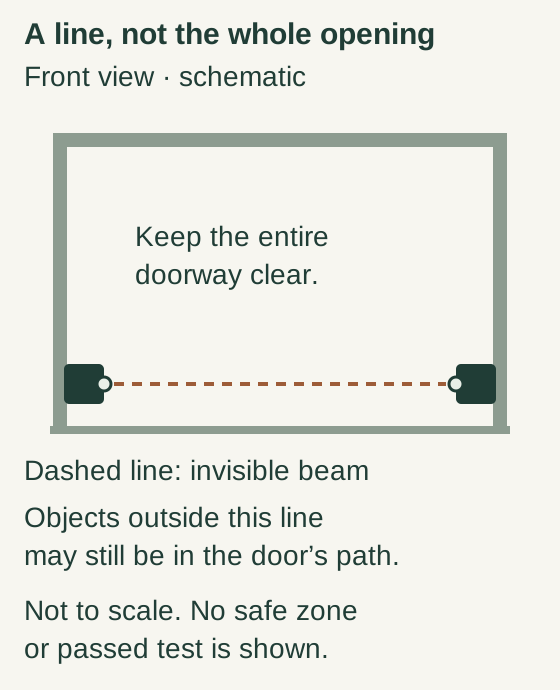
Scroll within the image if needed, or open the full-size view. The key details are also written below.
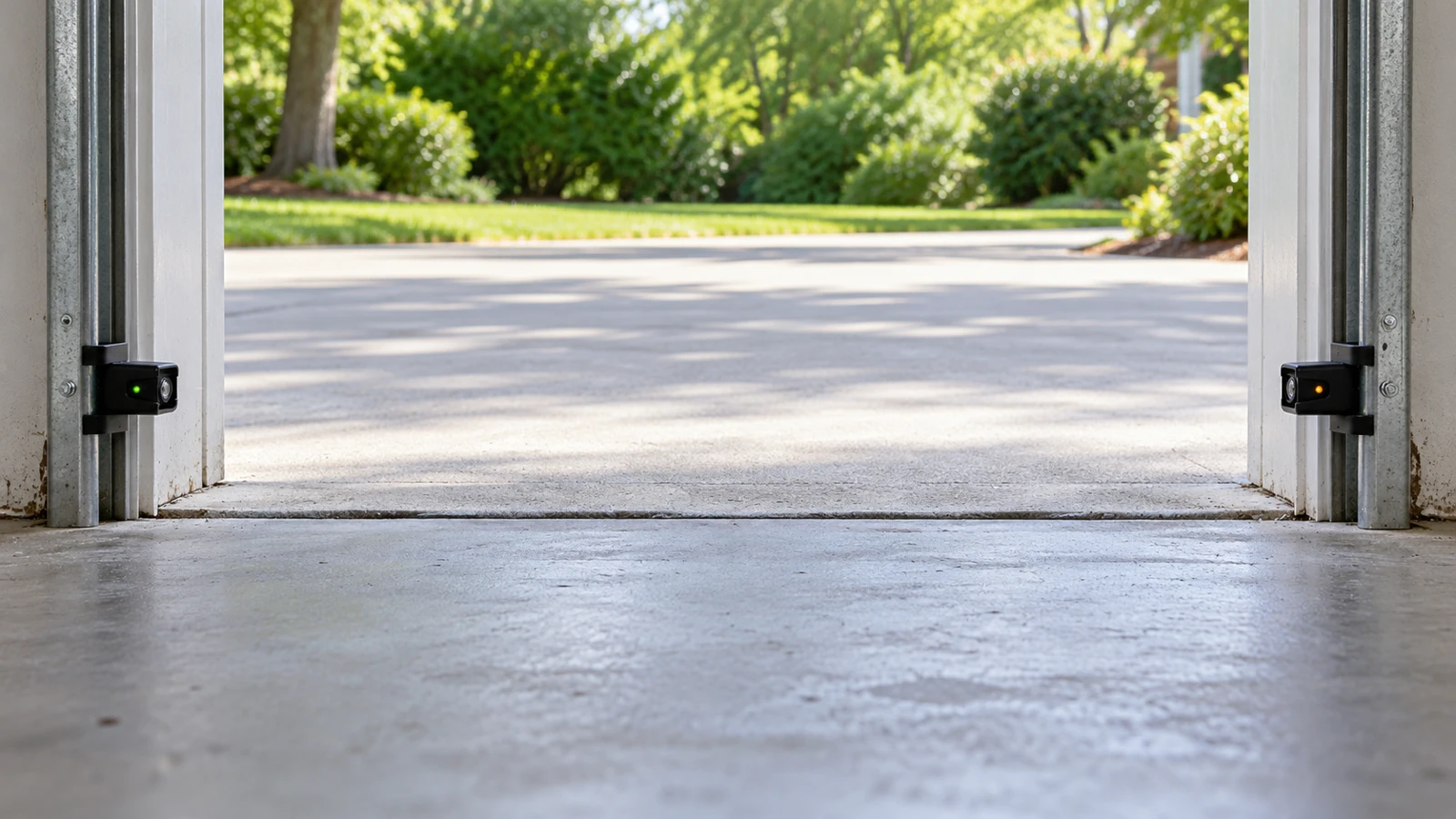
The dashed line represents an invisible photoeye beam, not the entire door opening. Objects outside this line may still be in the door’s path. Keep the whole doorway clear.
This schematic is not to scale and supplies no installation dimensions, safe crossing zone or successful safety-test result.
Find the opener model and current owner manual. Read the whole testing section before starting, including the required starting position, object, control method and expected response. Test only an intact door that operates normally. If the door is crooked, off-track or has suspected spring/cable damage, arrange service instead of cycling it.
The photoeyes detect interruption of their beam; they do not prove every part of the doorway is clear. The contact-reversal test checks a different response when the door meets the specified test object. CPSC calls for regular inspection and reversal testing rather than assuming an opener is safe because it moves.
Tools and time
Have the exact manual, the non-person object specified for the photoeye test, and the specified board or object if also performing contact-reversal testing. A notebook helps record results. Allow 10–20 minutes for an uncomplicated scheduled test, excluding repair. Keep children, pets and bystanders away.
You need a position with a clear view of the entire door and safe access to the normal control. If the layout does not allow you to follow the test without reaching beneath a moving door, do not improvise; get qualified help.
Step-by-step testing workflow
- Inspect before motion. Look for visible door damage, sensor damage, loose obstructions and a clear travel path. Expected result: a suitable system and testing area. Any mechanical concern stops the test before you command movement.
- Read and state the pass condition. Write the expected response from the manual in your notes before beginning. Expected result: a specific criterion, such as the prescribed refusal to close or stop-and-reverse behavior. “It seemed to notice something” is not an adequate result.
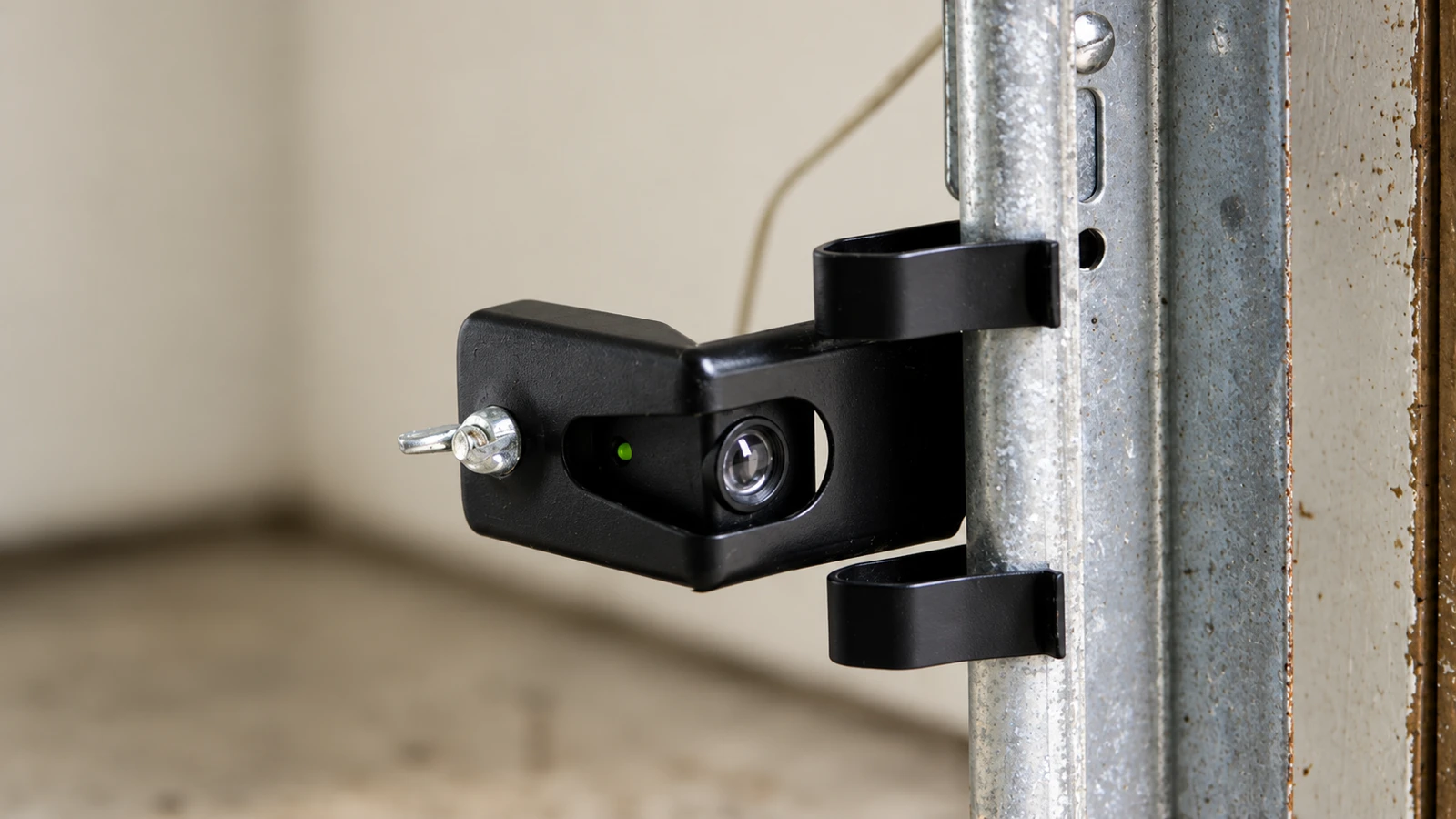
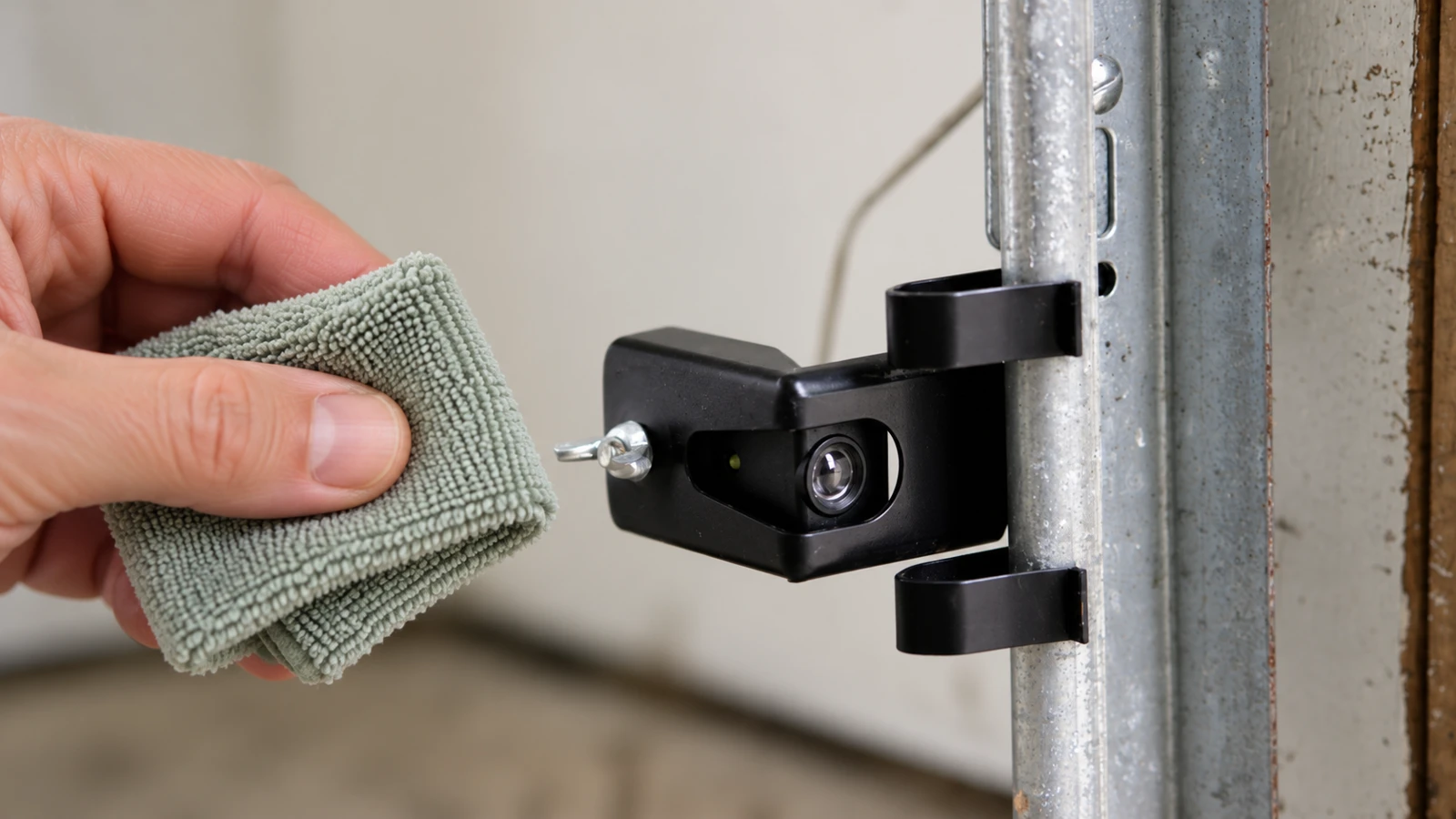
- Check the sensor installation visually. Confirm the lenses are clear and their indicators match the manual. Do not relocate them or alter wiring for the test. Expected result: the normal ready state. If that state is absent, diagnose the fault first rather than trying to get a misleading test pass.
- Perform the exact photoeye test. Use the specified object and sequence while your entire body remains clear of the door path. If the manual calls for beam interruption during closing, interrupt with the object from a safe side position, not by walking into the opening. Expected result: the precise response stated by the manufacturer.
- Stop on a failure. If the response is absent, delayed in a way the manual does not permit, or otherwise wrong, keep people away and prevent further automatic operation according to the manual. Do not pull the release on an open or unsupported door. Expected result: the unsafe system is not returned to everyday use.
- Test contact reversal separately if authorized and safe. Follow the manual's specified object size, position and control procedure. Remove the object only after movement has stopped and it is safe to approach. Expected result: the distinct contact-reversal response, recorded independently of the beam test.
- Restore and document. After both applicable tests pass, remove all test objects, verify the area is clear and record date, model and outcomes. Expected result: a normal operating area and a useful record. A failure requires correction and retesting, not simply a note saying “watch it.”
Concrete example: C2212T/C2405 manual revision
Keep the two safety tests separate
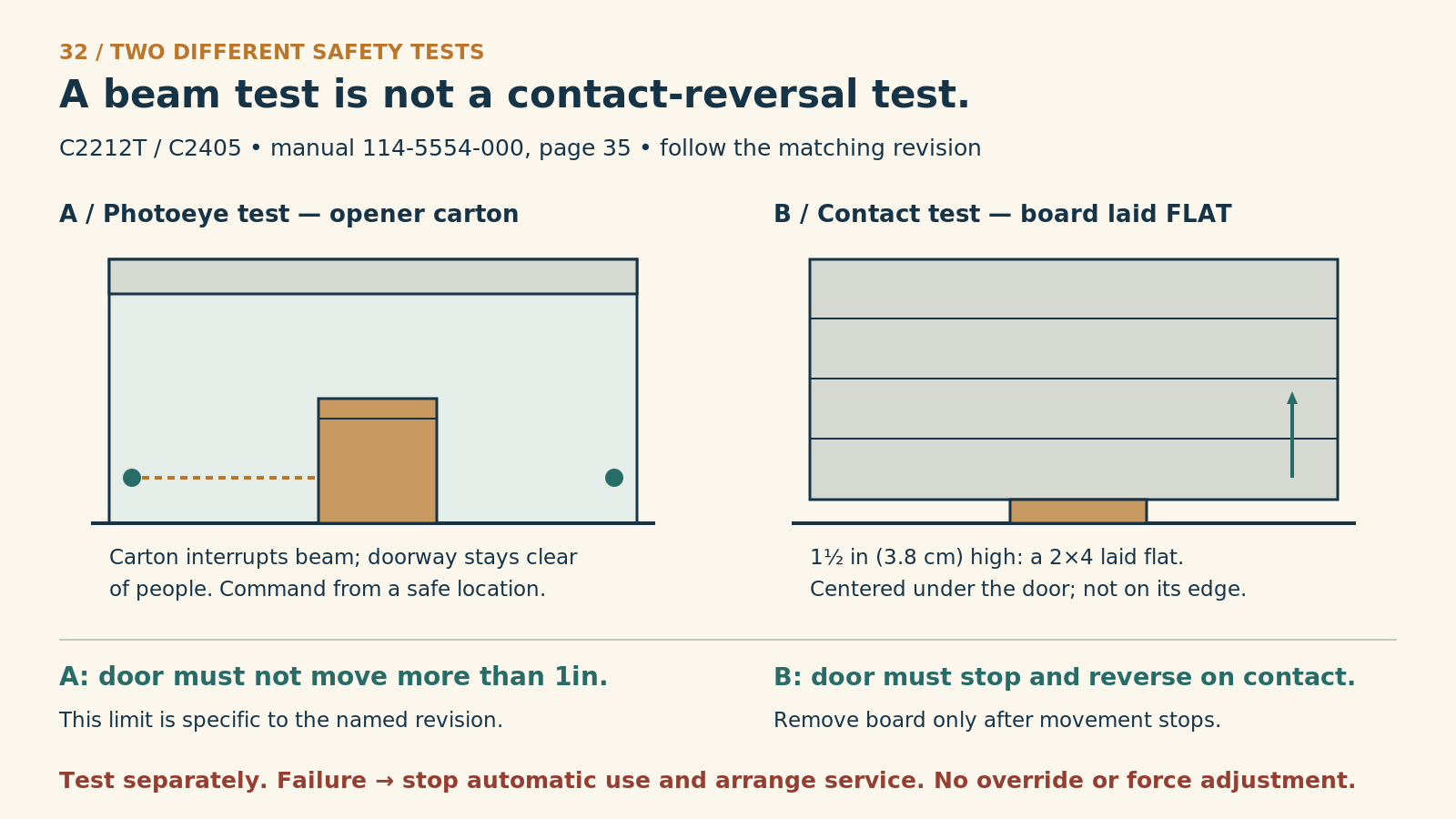
Use only for an intact C2212T / C2405 matching Chamberlain manual 114-5554-000, page 35. If the actual model/revision differs, use its own test. Do not test a damaged, binding or unsupported door. Keep everyone clear and the door in view.
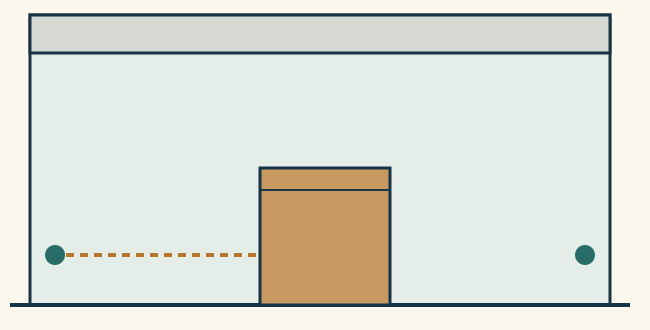
A. Photoeye test
From fully open, place the opener carton to interrupt the beam as the manual shows. Move clear and use an ordinary remote close command. In this revision, travel must not exceed 1 inch. If it closes through the obstruction, stop automatic use and arrange service.
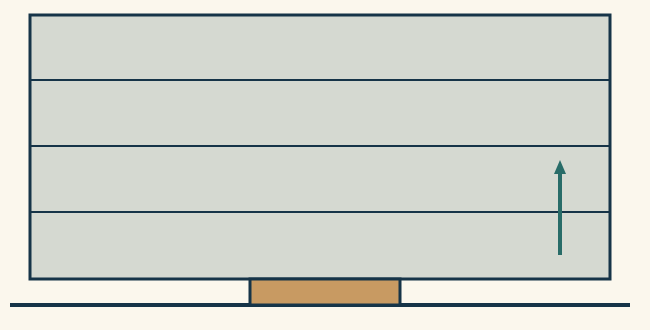
B. Contact-reversal test
Separately, with the beam unobstructed and door fully open, place a 1½-inch-high board (a 2×4 laid flat) on the floor, centered under the door. Move clear and command closing normally. The door must stop and reverse on contact.
Do not combine the objects or substitute a person. Remove an object only after motion has stopped and access is safe. A failed response means stop automatic use; do not repeat known failures for video, use an override or alter force. The exact manual governs sensor height, setup and all required tests.
Record each result separately
Photoeye: pass / fail / not performed.
Contact reversal: pass / fail / not performed.
Date, exact model/revision, observed response and service action.
These are functional tests, not certification of springs, cables or the whole installation. Alert flash counts are deliberately not generalized.
References
- Chamberlain C2212T/C2405 manual 114-5554-000
For an intact Chamberlain C2212T or C2405 whose supplied instructions match the linked manual, its Protector System test uses the opener carton to interrupt the beam. Open the door normally, place the carton as instructed, then move clear and command closing with the remote. In this manual revision, the door must not travel more than one inch; it describes ten opener-light flashes and a blinking green receiving indicator. If the door closes with the beam obstructed, stop automatic use and obtain service.
Confirm your actual manual and hardware revision before using this example: later boards can have different alert indications. Do not enter the path to retrieve the carton until movement has stopped.
Understanding results
A working indicator light is a readiness clue, not proof of protection during travel. Conversely, a refusal to close because the beam is already blocked may show one behavior without completing every test required by your manual.
CPSC warns against continued use after a failed reversing test. Use the exact instructions for your installed model rather than borrowing a neighboring door's procedure.
Practical tip: Use two checkboxes in the maintenance log: “photoeye test” and “contact-reversal test.” Include “not performed” as an honest option when conditions are unsafe.
Common mistakes and safety
Do not increase closing force to make a test complete. Do not hold a control in an override mode, block the sensors permanently, or move them out of the opening. Those actions can defeat the protection being evaluated.
Do not run repeated tests on a known failure to collect better video. A clear written account of the first failed response is enough to arrange diagnosis.
FAQ
How often should we test?
Use the manual's schedule; monthly checks are common manufacturer guidance. Repeat the required tests after relevant adjustments or repairs.
If the beam test passes, is the whole door safe?
No. It does not certify the springs, cables, tracks or other reversal function.
What if our older opener has no photoeyes?
Do not assume it offers equivalent protection. Have the model and available safety features assessed, including whether replacement is appropriate.
Explore guides · About this guide
Was this guide useful?
Your choice stays in this browser only. It is not sent to us.
Sources & manuals1
Manufacturer instructions and references for this guide. Match the document to your exact product.
- Chamberlain C2212T/C2405 manual 114-5554-000images.thdstatic.com