Open a Driveway Gate With Your Phone: Compatibility and Control
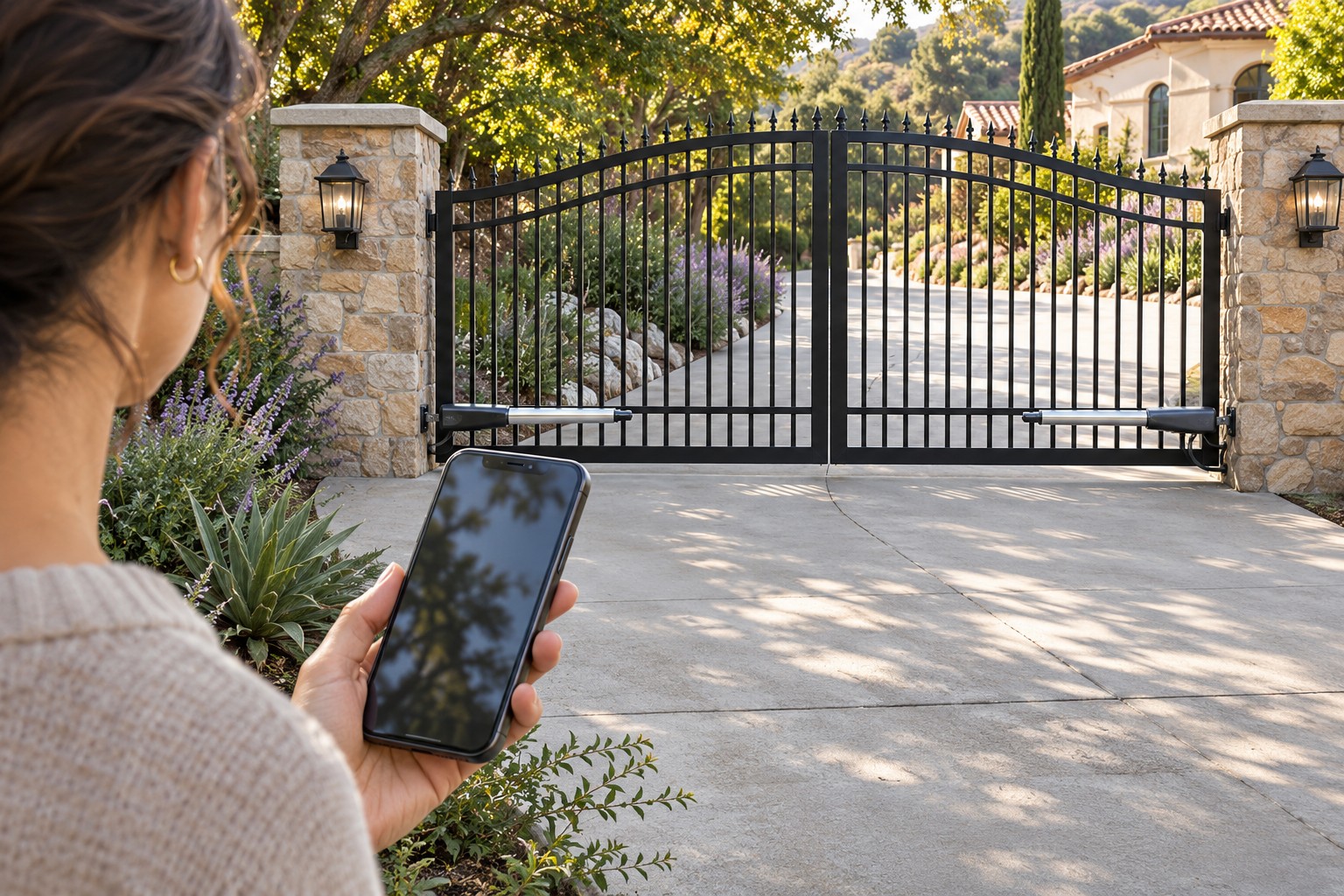
Opening a driveway gate with a phone requires more than finding an app with an open button. The gate operator, access controller, position feedback, network and authorized user account must work together. The installation must also remain safe when a command arrives. A connected accessory does not replace the gate's protective equipment.
This guide helps you choose and manage an authorized phone-access arrangement. It is not a receiver-pairing tutorial; use the remote and keypad programming guide for that separate task. On a shared property, start with the owner or manager who controls access permissions.
1. Define the access task before choosing an app
Decide whether you need local operation while standing safely near the entrance, visitor admission, scheduled permissions or status information. Those requests may require different equipment and account features. Avoid treating every product described as smart as equivalent.
Separate an installer service app from an occupant access app. For example, the SwingSmart 535 product page describes phone-based setup and configuration for installers. That does not, by itself, establish a homeowner cloud-opening service.
Identify the existing operator and any separate entry system without opening electrical covers or reaching through the gate. Obtain model and revision information from the owner records or installer. The brand on a remote control may not identify the whole access architecture.
Write a short requirement list before purchasing: who needs access, from where, at what times and who can remove it. Ask the supplier to demonstrate those actual functions rather than accepting a general claim that the system works with smartphones.
2. Verify compatibility at the system level
Have a qualified installer confirm the operator interface, access device, power arrangement and status-feedback method. Compatibility means the complete supported configuration, not merely the presence of terminals that an online diagram suggests could be connected.
Use current documentation for the exact product. The DoorKing 1800-500 manual is a useful example: it contains model-specific conditions and excludes the solar-powered 6524 and 9024 configurations shown there. Its support for other arrangements is not permission to connect an arbitrary device to any gate.
Ask whether the proposal retains every required entrapment-protection function and how commands interact with the operator's existing controls. Do not bypass a fault or protection input because a phone command is being ignored.
Keep installation and electrical work with the appropriate professional. This article provides no wiring recipe. If a vendor cannot identify the supported configuration, do not proceed on the assumption that a simple relay makes all systems interchangeable.
3. Assess the connection at the gate, not in the house
Determine which communications path the product actually uses: local radio, a site network, a cellular service or a combination. Ask which functions remain available if one part of that path fails. Do not assume internet access at the house establishes a reliable connection inside the gate's enclosure.
For a Wi-Fi-based proposal, have signal and operation checked at the final equipment location under the manufacturer's conditions. Walls, distance and enclosure materials can affect the result. A phone showing service nearby is not the same test as the installed controller working reliably.
The DoorKing manual specifies its own network requirements and warns about signal loss caused by metal. Follow those product-specific requirements through the installer; do not generalize them into a frequency or range rule for every smart gate.
Ask separately about ongoing charges, account ownership, internet service and any required subscriptions. A functioning demonstration during installation does not tell you what happens when a service expires or the property changes hands.
4. Understand what the displayed status proves
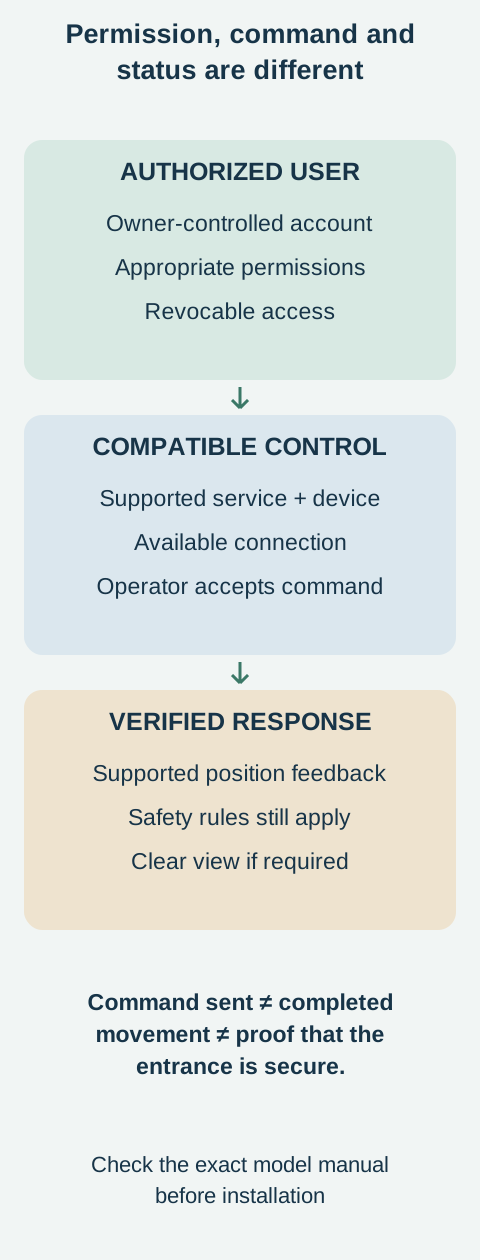
Ask where open or closed information comes from. A command acknowledgement is not necessarily a measurement of the gate's position. A status contact, position switch or other supported feedback method may be required.
The DoorKing manual distinguishes commands from position feedback and states that its app cannot report position without the necessary feedback connection. Have the installer explain the actual indication used in your proposal and any limits on what it detects.
Do not interpret an old notification, cached screen or unavailable device as proof that the gate is secure. If status is uncertain, avoid repeated remote commands and arrange a safe on-site check through an authorized person.
A camera can add context, but it does not automatically show every entrapment area or replace the operating instructions. Ask what “closed” means for the system: reaching a reported position is not necessarily verification of a separate lock or every aspect of perimeter security.
5. Give users the access they need, not the master account
Keep administration with the responsible owner or manager. Where the product supports separate invited users, use those permissions instead of distributing the main account password. Confirm which functions each role can use before issuing access.
Ask how temporary access expires, how a user is removed and what happens when a phone is lost. These features differ by product. Do not promise automatic expiration, detailed logs or multi-factor authentication until the chosen service documents them.
Use a unique account password and the service's available security protections. Protect the phone itself and keep its software maintained. Avoid giving a visitor administrative control merely because it is easier than learning the supported invitation process.
The DoorKing manual describes primary-user settings and sharing, but that does not establish every permission feature for every app version. Review the actual account interface with the installer or service administrator, and keep an owner-held record of authorized users.
For a shared property, agree who may approve guests and who reviews access after staff or occupants leave. Access management is ongoing work, not a one-time installation checkbox.
6. Keep operation within the manufacturer's safety rules
Remote connectivity is not permission to operate without observing the gate when the manual requires observation. The DoorKing 1800-500 instructions require clear view of the gate, confirmation that its path is unobstructed and waiting for completion. Apply that warning despite broader “from anywhere” marketing language.
Do not present voice assistants, schedules or automation routines as exceptions to the operating requirements. Ask the installer which features are supported safely at the site and leave unsupported routines disabled. Convenience cannot override the gate's protection or the manufacturer's restrictions.
Keep children from controlling the gate and keep all people clear of movement. DASMA's safety guidance also warns against reaching through a gate to use controls. A phone should not encourage someone to stand in the swing or slide path while watching the screen.
If the gate behaves unexpectedly, stop issuing commands and contact the responsible service provider. Do not increase force, disable a sensor or use repeated app commands to overcome a safety stop.
7. Test failure paths and ownership handover
At commissioning, ask the installer to demonstrate authorized access, supported status reporting and the removal of a test user's permission. Confirm that the actual operating restrictions are explained to everyone who will use the app.
Discuss loss of internet, loss of phone service and loss of mains power as separate events. Battery backup may support movement without supporting the communications route. Retain an approved alternative access method and know who can provide assistance.
Before a property sale or management change, arrange a supported transfer of administration and remove obsolete permissions. Do not assume uninstalling an app from one phone transfers ownership or revokes every existing user.
Keep model information, service contacts and account-recovery arrangements under the owner's control. Do not place passwords or access credentials in public documentation. The goal is usable access with clear responsibility, not an entrance dependent on a former installer's personal account.
Frequently asked questions
Will any smart relay work with my gate?
Do not assume so. Have the operator interface, power, feedback, safety behavior and manufacturer support confirmed for the exact arrangement.
Can I open from anywhere if the app allows it?
Only within the equipment's operating instructions. If the manual requires clear view, the presence of a remote button does not remove that requirement.
Does an open command confirm that the gate opened?
No. Ask what position feedback is installed and what the app's status actually represents. Command delivery and completed movement are different events.
Can I give a delivery driver temporary access?
Only if the responsible owner authorizes it and the selected system supports an appropriate permission. Confirm expiration and revocation rather than sharing administrator credentials.
Related Posts
 Practical Guide
Program a Gate Remote or Keypad: Find the Right Procedure
Prepare authorized gate remote or keypad enrollment using the actual receiver manual, without universal button sequences or accidental memory erasure.
 Practical Guide
How to Choose a Gate Opener: Weight, Length, Wind and Cycles
Compare gate-opener capacity, wind exposure, duty and power requirements, then request a complete model-specific installation proposal.
Sources
Manufacturer instructions and references for this guide. Match the document to your exact product.
- SwingSmart 535 product pagehysecurity.com
- DoorKing 1800-500 manualwww.doorking.com
- DASMA's safety guidancewww.dasma.com
- DoorKing Smart Gate Controller supportwww.doorking.com
- Photograph: Ildar Sagdejev (Specious) · CC BY-SA 4.0