Why Does My Garage Door Open by Itself? Separate Reversal From Unexpected Commands
Quick answer
First determine whether the garage door reversed during closing or opened after sitting fully closed. Reversal can be a response to an obstruction or movement problem. A later unrequested opening calls for a control and access investigation, including stuck buttons, unintended commands, or a fault in the control system.
We recommend treating unexplained movement as both a safety and security problem. Do not leave an unreliable door operating unattended while you experiment with settings.
Make the area safe first
Keep people, pets, and vehicles away from the door. If movement is repeated or unpredictable, stop routine use and arrange qualified diagnosis. Follow the exact opener's instructions for safely disabling powered operation if needed; backup-equipped hardware can remain powered after the mains plug is removed.
Do not release an open or unstable door, place an improvised lock against an active opener, or work on its wiring while it could move. If the door is crooked or has a loose cable or broken spring, stop all movement testing.
Allow 15–30 minutes for an initial evidence review. Intermittent events may require observation over time, but that does not justify leaving the hazard unaddressed.
1Establish what actually happened
18. Unexpected opening: establish the sequence
Stop for unsafe movement. A crooked, damaged, straining or unsupported door is not a candidate for command comparisons. Keep people clear and arrange qualified service. Do not release it or bypass protection.
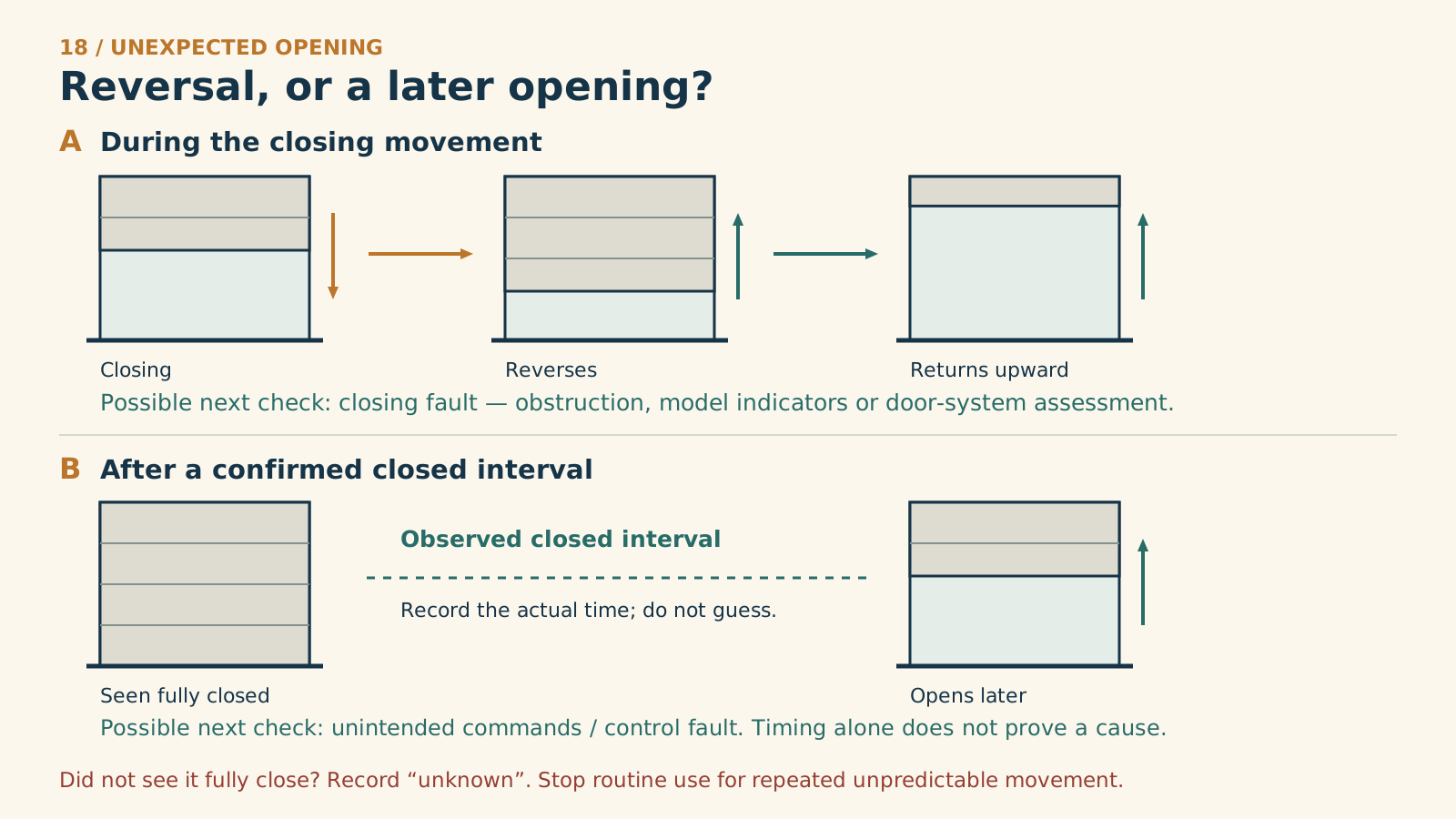
A. Reversal during closing
Closing
Reverses before reaching the floor
Returns upward
B. A separate later opening
Seen fully closed
Observed closed interval: record actual times, not a guessed delay.
Opens later
A. Closing reversal
Possible next check: the closing-fault guide. Record where it reversed. Reversal at floor contact also belongs here; the drawing shows the before-floor case.
B. Later opening
Possible next check: unintended commands or a control-system fault. Timing alone cannot identify the cause. Do not reproduce unpredictable movement to collect evidence.
Closure not witnessed? Write “unknown”. A stale app display does not prove physical closure. Stop routine use for repeated unexplained movement.
Time • last intentional command • physical door position • observed closed interval • sound/light • relevant authorized app event
Manufacturer references
- Chamberlain — Garage door activates on its own
- Chamberlain — Diagnostic conditions
Write down the time, the last intentional command, and the door's observed position. If you have legitimate access to a camera or app history, compare those records. Do not assume a stale app status proves the door was physically closed.
A useful event note reads: “Pressed close at 8:10; watched it reach the floor and reopen immediately,” or “Watched it remain closed; it opened at 8:35 with no known command.” Those descriptions lead to different investigations.
2If it reverses while closing, diagnose the closing fault
Check for ordinary obstructions, objects crossing the sensor line, and model-specific safety indicators. A manufacturer's closing-protection response can look like the door “opening itself” when the original close attempt was never completed.
If it reaches the floor and reverses, note exactly where contact occurs and stop repeated tests. The door, travel setup, or other components may need assessment. Do not increase force, defeat the safety sensors, or adjust springs to keep it down.
We recommend using the dedicated closing guide for this branch, rather than erasing remotes that may be functioning normally.
3Inspect ordinary sources of an unintended command
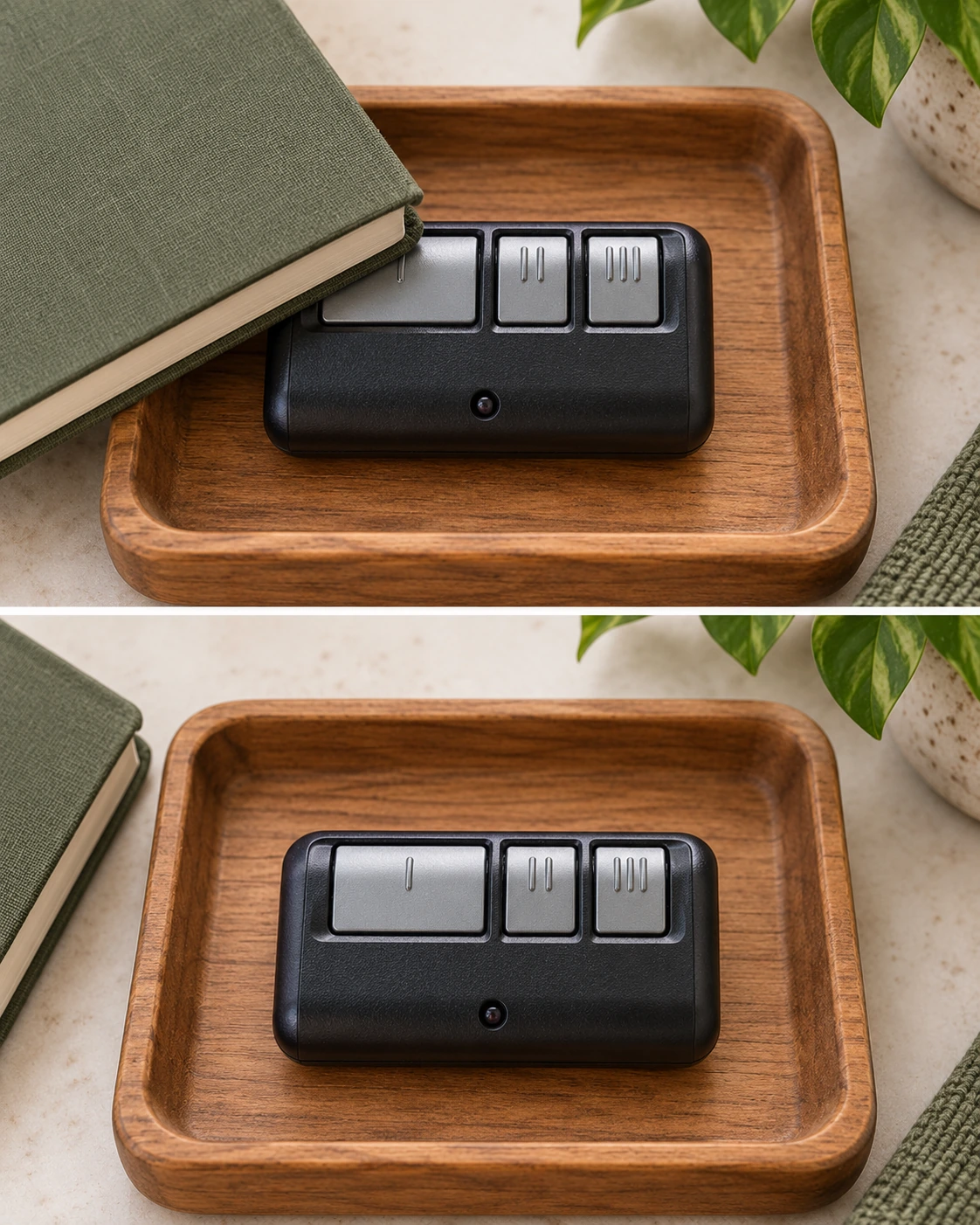
The upper view shows an object pressing a remote button; the lower view keeps the buttons clear. Check storage without operating the door. This check alone does not establish the cause of unexpected movement.
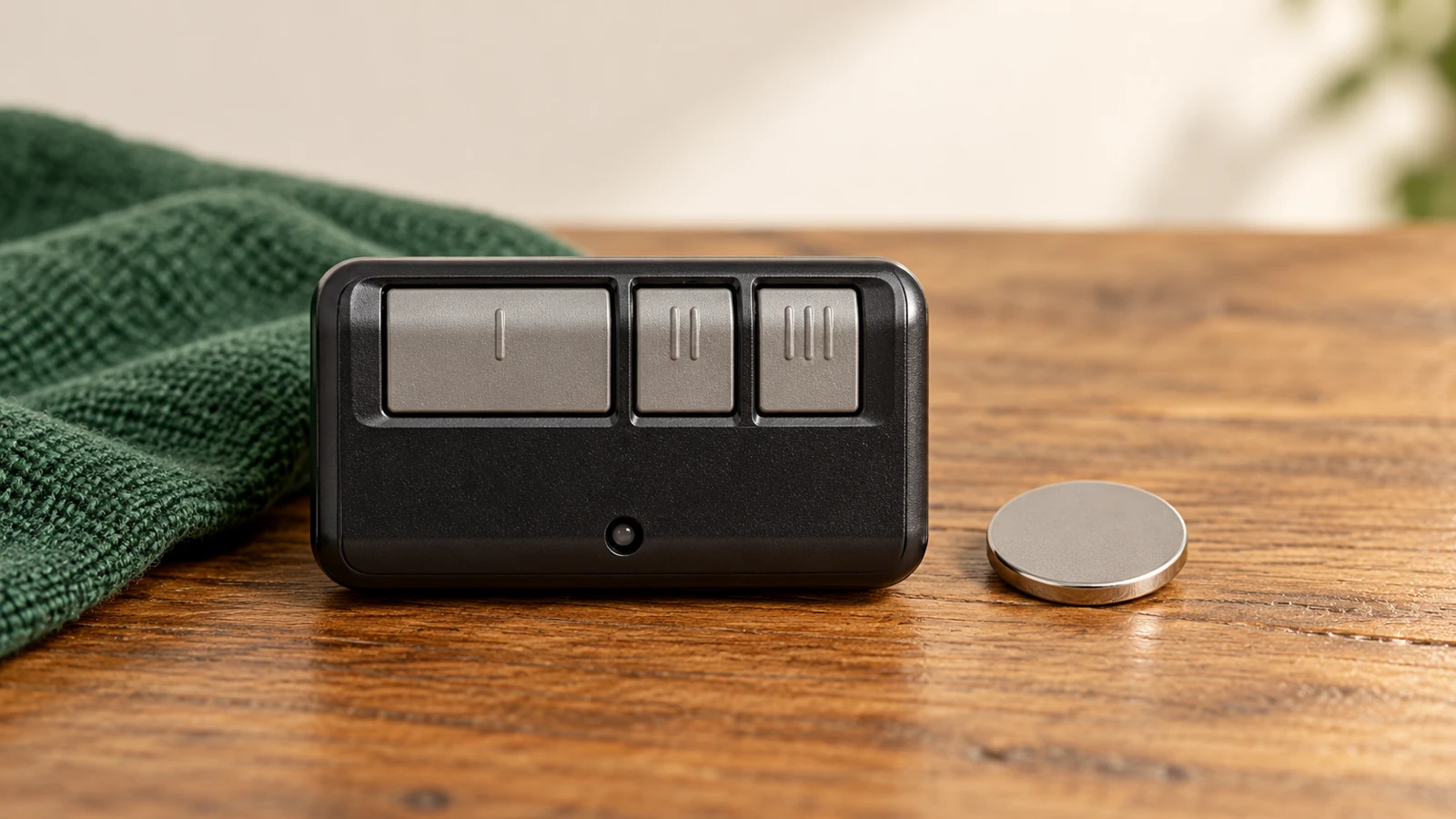
Collect the authorized handheld remotes and inspect their buttons without operating the door. Look for a button trapped against a visor, something pressing a remote in a drawer, a damaged case, or a sticky control.
Chamberlain Group identifies stuck remote buttons, accidentally learned transmitters, and faulty wall-control circuits among potential causes of unsolicited activation. These are possibilities to investigate, not proof that a neighbor or another person caused the event.
Keep loose remotes somewhere their buttons cannot be pressed accidentally. If one is physically damaged, stop using it and follow its battery/accessory guidance. Do not spray cleaners into its electronics or pry at the board while diagnosing a sticking button.
4Review authorized connected access and automation
If your system offers activity history, review it with the account owner. Check which household members or services are authorized and whether an expected command coincides with the event. Also distinguish a vehicle's garage feature from a handheld remote kept in that vehicle.
Do not accuse someone solely because the door moved. A log may show a command without explaining why it was sent, and missing log detail does not prove the absence of a radio command.
If you find unwanted app access or an automation you did not intend, use the legitimate account-management controls to review and change it. Avoid sharing passwords or publishing full device identifiers while seeking assistance.
5Decide whether a deliberate radio-access reset is warranted
If there is reason to believe an unwanted transmitter was enrolled, use the exact opener's authorized memory-management process. Prepare the restoration list before erasing anything. Then verify the intended old radio access is gone and re-enroll only the devices you want.
A reset is not a substitute for diagnosing a shorted wall-control circuit or an internal fault. If unexplained movement continues after a correctly verified access change and remote checks, stop using the system and have its controls professionally assessed.
We do not recommend disconnecting random wall-panel wires, shorting terminals, or opening the motor unit as a homeowner diagnostic step.
6Keep a focused incident record
Record the time, physical door position, last known command, relevant app event, which controls were present, and any lights or sounds. Change only one ordinary variable at a time so you can tell whether it mattered.
Avoid performing several resets, replacing batteries, changing app users, and altering wiring in one session. That may remove evidence without establishing a cause. If you cannot safely observe the door, stop the investigation and prioritize making the installation safe.
Common questions
Can a neighbor's remote open my garage? An unintended enrollment is one documented possibility. Do not assume that is the cause without checking the actual system and access history.
Will unplugging remove unwanted access? Do not use a power interruption as proof of access revocation. Follow the correct memory and account procedures.
Could the sensors make a fully closed door open hours later? Closing-protection reversal and a later independent opening are different events. Establish the timeline before assigning a cause.
Key takeaways
Separate reversal from a new command, inspect ordinary remote-button causes, review legitimate access, and stop for persistent unexplained movement. The goal is a verified cause and dependable operation, not simply one evening without another incident.
Explore guides · About this guide
Was this guide useful?
Your choice stays in this browser only. It is not sent to us.
Sources & manuals2
Manufacturer instructions and references for this guide. Match the document to your exact product.
- Chamberlain — Garage door activates on its ownsupport.chamberlaingroup.com
- Chamberlain — Diagnostic conditionssupport.chamberlaingroup.com