Why Won't My Garage Door Close? A Safe Diagnostic Guide
Quick answer
A garage door that will not close may have an obstruction, a safety-sensor problem, a control issue, or a mechanical fault. Start with what you can safely observe: does it refuse to move, start down and reverse, or reach the floor and reopen? Those are different symptoms.
We recommend a short diagnostic pass, not repeated close attempts. Never bypass the photoelectric sensors, hold a control to defeat a safety condition, or increase force to push through resistance.
Stop before testing if you see these conditions
Keep clear and arrange professional door-system service if the door is crooked, off its track, has a hanging cable, shows a broken spring, or drops unexpectedly. Do not pull the emergency release on an open or unstable door. Do not try to hold a heavy door in place by hand.
If there is smoke, burning odor, exposed damaged wiring, or a hot electrical enclosure, stop using the opener. Electrical investigation belongs with an appropriately qualified person.
What you need and how long to allow
Use a flashlight, a clean soft cloth for accessible sensor lenses, the opener model, and its diagnostic chart. A phone can record the indicator pattern without requiring another movement cycle.
Allow 10–20 minutes for visual checks and one safe verification attempt. This is a diagnosis allowance, not a repair-time promise. If a check reveals a damaged component, stop rather than extending the task into spring, cable, track, or electrical work.
1Describe the closing failure precisely
Observe from outside the door's movement area:
| Symptom | Useful direction |
|---|---|
| Opens normally but refuses a close command | Path and safety-sensor status |
| Starts down, then reverses before contact | Beam obstruction/interference or movement resistance |
| Reaches floor, then reopens | Door/travel diagnosis after checking obstructions |
| One control fails but another operates normally | That control's communication or settings |
| Motor strains, door tilts, or hardware moves abnormally | Stop mechanical testing |
2Clear ordinary obstructions
Move the obstruction, leave the sensors in place
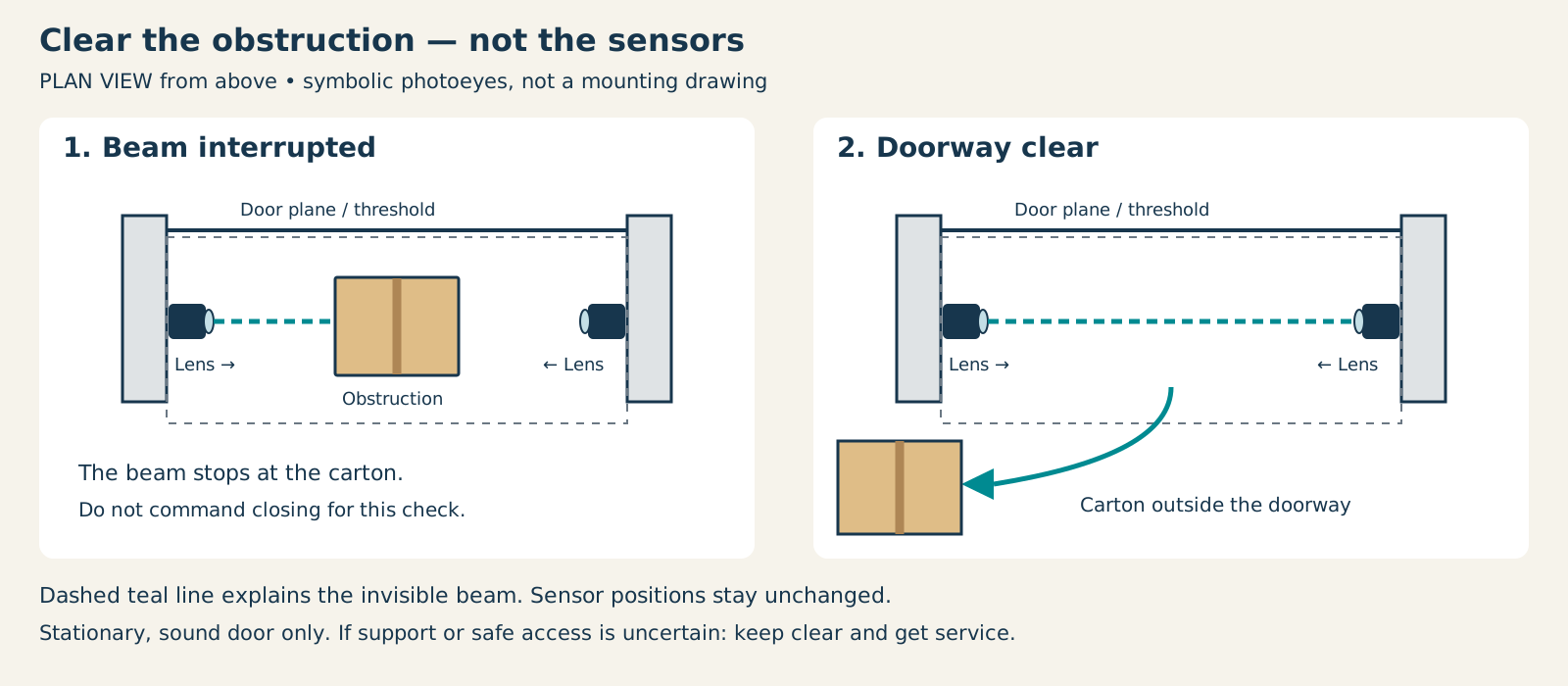
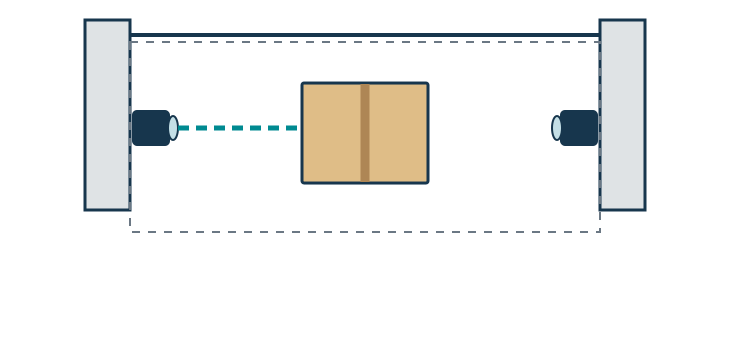
Start with a stationary, sound door. If it is crooked, damaged, unstable or unsafe to approach, keep clear and arrange service. Do not command closing for this visual check.
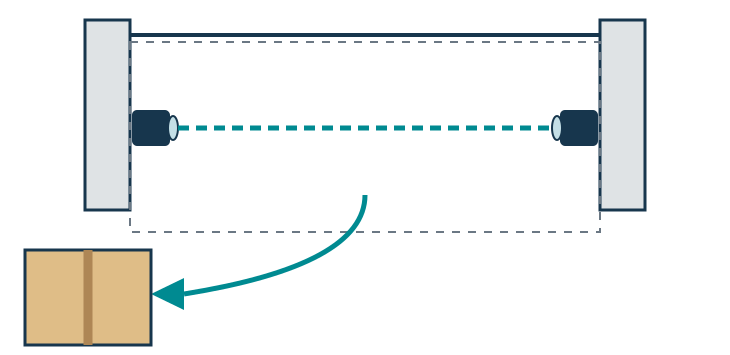
Scroll sideways for detail, or open the full-size diagram. The complete instructions are written below.
Open full-size diagram and zoom (new tab)
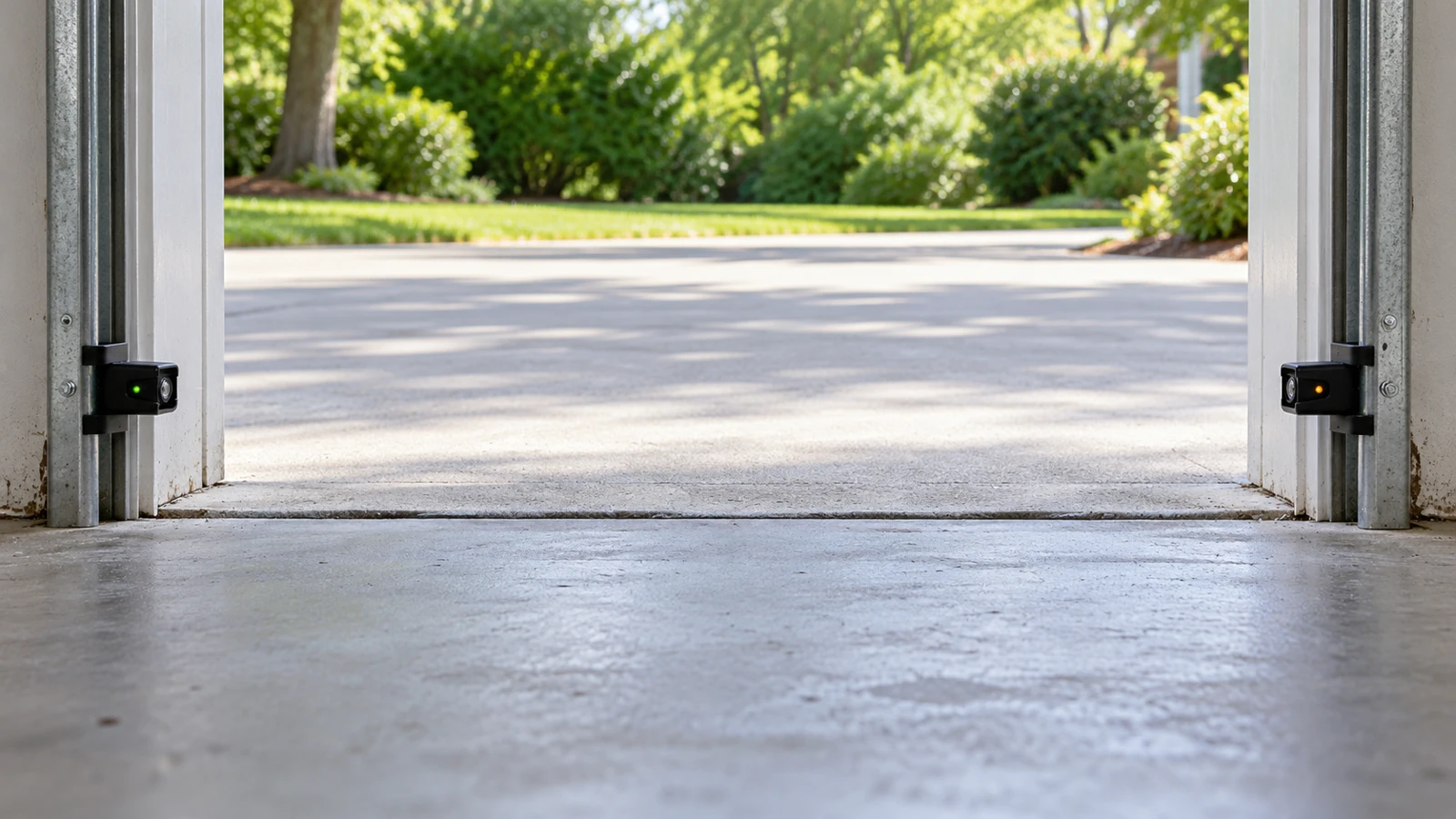
- Observe the line between the opposed lenses from a safe position. A loose carton in that line is an obstruction; leave the door stationary.
- Move a loose obstruction only when safe. Leave both sensors in place and clear the entire doorway.
- The plan is a view from above: pale rounded ends represent lenses, the teal dashed line represents an invisible beam, and the gray dashed area marks the doorway. These symbols do not specify mounting geometry.
- Compare the documented indicator states for your model. The 041-0136 example identifies its amber sender and green receiver.
- Make an ordinary close attempt only with the full doorway visible and clear. Persistent failure needs diagnosis; ready-looking lights do not replace the prescribed safety tests.
Manufacturer reference 1 · Manufacturer reference 2
With the door stationary, look along the threshold and the low sensor line. Remove loose boxes, tools, leaves, or a hanging item that could interrupt the path, provided you can do so without entering beneath an unstable door.
Check for an item attached to the door that crosses the beam as the door descends. A doorway can look clear when the door is open yet become obstructed during movement.
Do not reach into rollers or tracks, pry a trapped object out of loaded hardware, or chip ice while the door is trying to move. If removing an obstruction would put you under a questionable door, stop and obtain help.
3Inspect sensor lenses and indicators
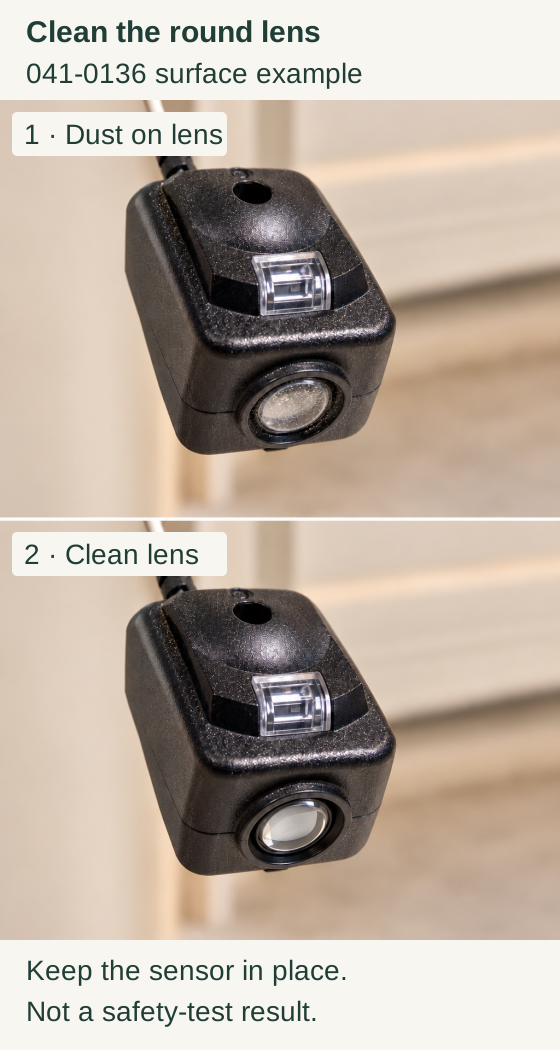
Scroll within the image if needed, or open the full-size view. The key details are also written below.
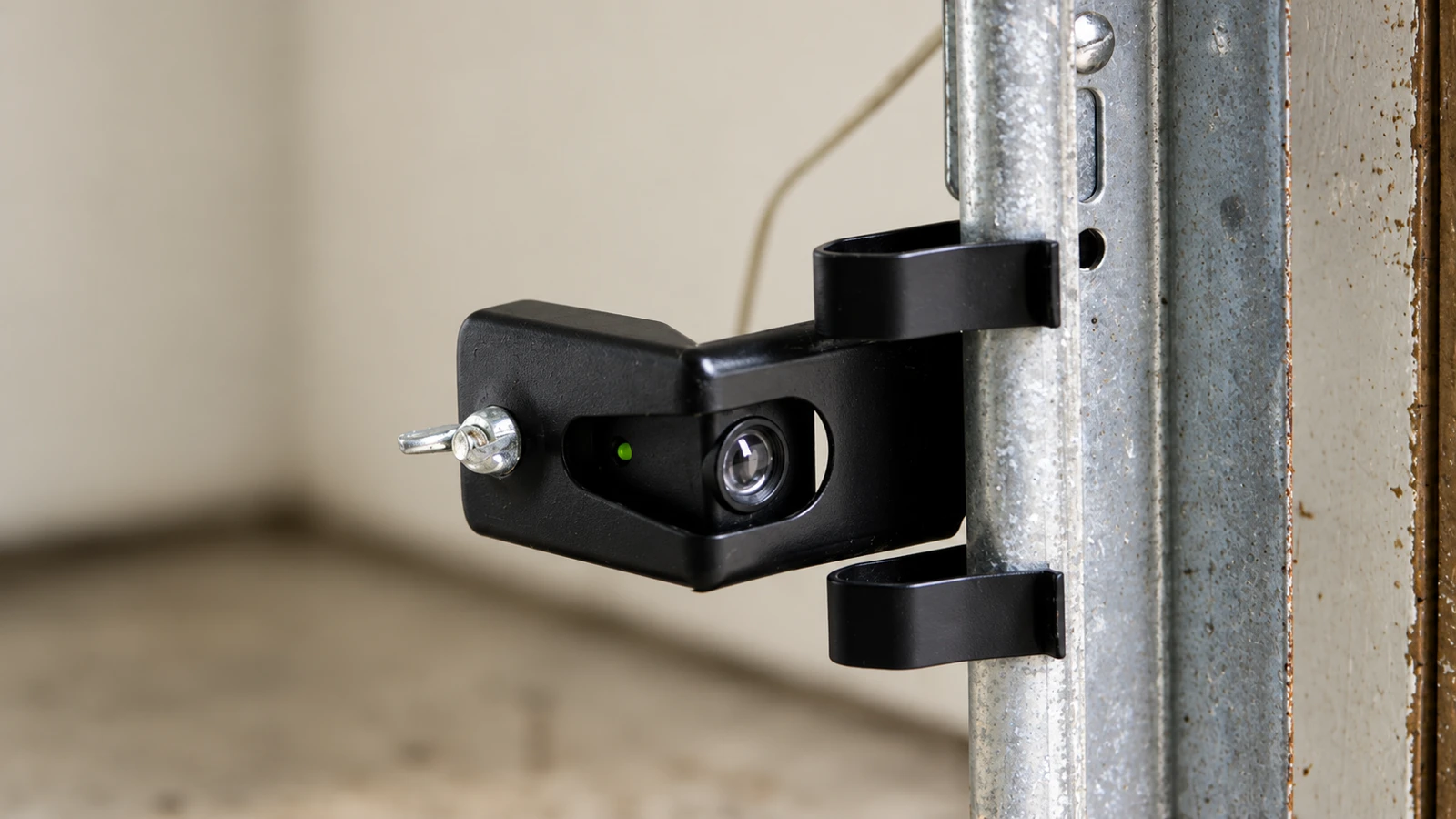
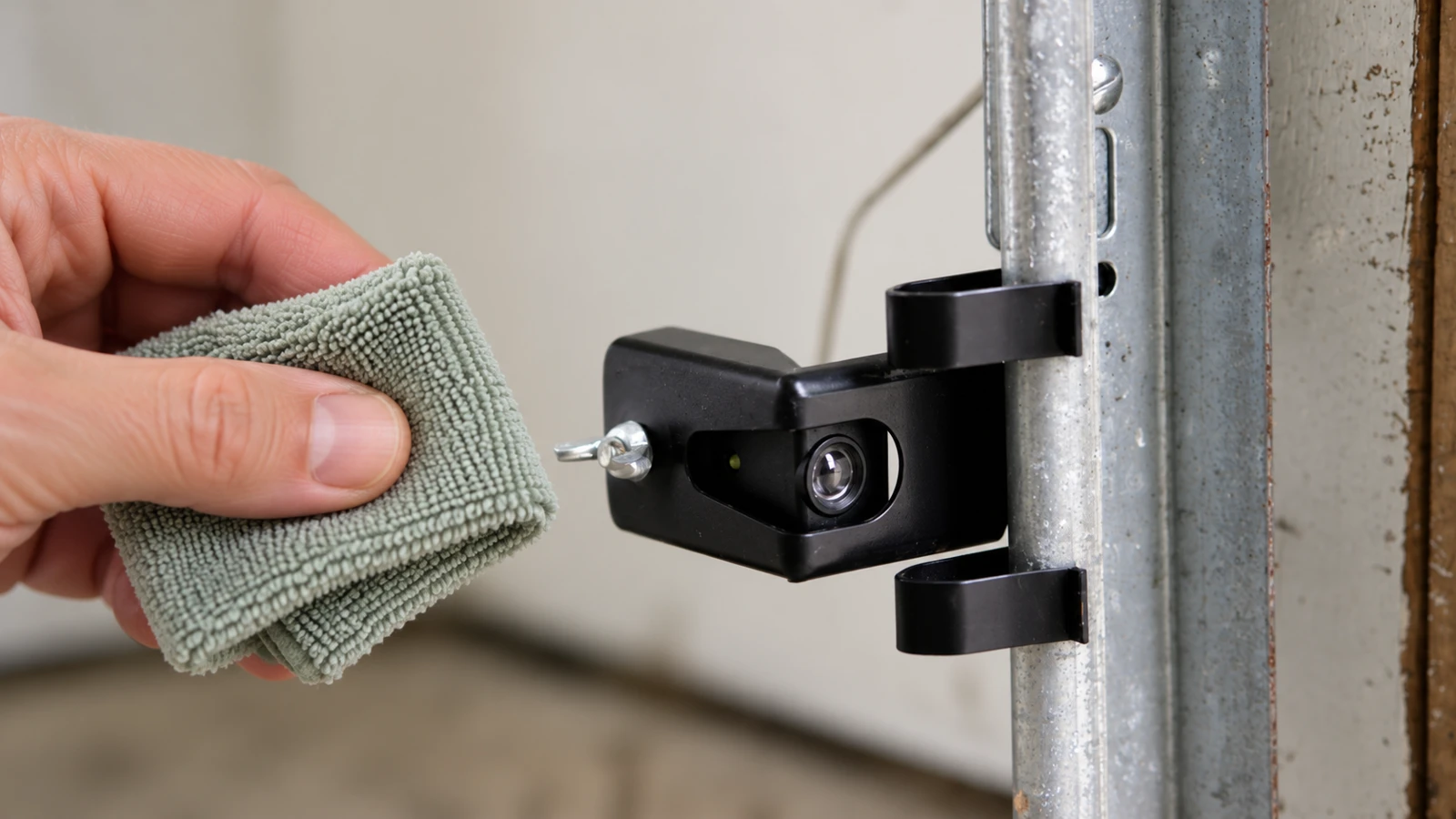
The first close-up shows dust on the round optical lens of an 041-0136 sensor; the second shows the clean lens. The square indicator and housing are unchanged.
Clean the accessible lens without moving the sensor. This surface comparison does not prove alignment or a successful safety test.
Find the paired sensors near the bottom of the opening. Gently wipe accessible dusty lenses with a soft cloth and look for a loose or visibly bumped sensor. Observe the indicators without disconnecting wiring.
For the covered Genie Safe-T-Beam guidance, a flashing red indicator calls for checking the lenses, obstructions, alignment, and the model's diagnostic chart. Chamberlain-family sensor systems have their own indicator rules; do not transfer a red/green meaning between brands.
If an indicator stays off or flickers: note which side and the exact pattern. A clear lens is not proof of a good connection or correct alignment. Damaged wires, loose hardware, or persistent sensor errors need proper diagnosis rather than a bypass.
4Check for a pattern without defeating protection
Does the problem occur only at a particular time of day, after direct sun reaches the opening, or when the neighboring garage operates? Record that pattern. Manufacturer guidance recognizes light interference and adjacent-system issues for some installations, but the correction must preserve the required safety coverage.
Do not tape over a sensor, move both sensors together above the opener, or otherwise make the system report a clear path while leaving the doorway unprotected. We recommend treating a workaround that removes protection as an unresolved fault, not a successful close.
5Make one safe verification attempt
If you removed a simple obstruction or cleaned the lenses and the system now shows the normal model-specific state, make an ordinary close attempt with the entire doorway visible and nobody crossing it.
If the door closes normally, complete the safety checks prescribed by the exact owner manual before returning it to routine use. If it reverses again, stop and record where the reversal occurs. Do not raise force or alter travel settings to suppress the symptom.
What the lights do and do not tell you
Flash codes vary by model and logic-board revision. Chamberlain’s closing-fault guidance says the ten-flash behavior is absent from openers or replacement logic boards manufactured after February 3, 2022. Identify both the opener and any replacement board, then use that exact diagnostic chart; absence of ten flashes does not rule out a sensor fault.
Likewise, a steady sensor light does not certify every part of the door's mechanical condition. A door can have more than one fault, and an opener may be correctly refusing an unsafe movement.
Common questions
Why does it open but not close? Closing protection and opening operation do not have identical conditions. Inspect the closing path and documented safety indicators before changing radio programming.
Can I keep pressing the remote until it works? We recommend stopping after the failed verification and investigating the pattern. Intermittent success is not a dependable repair.
Can a reset fix this? A reset cannot remove an obstruction or repair damaged hardware. Use one only when the exact model's diagnosis calls for it.
Key takeaways
Describe the failure, clear safe-to-remove obstructions, inspect sensors without bypassing them, and stop for mechanical warning signs. A door that closes once after repeated attempts still needs its underlying fault resolved.
Explore guides · About this guide
Was this guide useful?
Your choice stays in this browser only. It is not sent to us.
Sources & manuals2
Manufacturer instructions and references for this guide. Match the document to your exact product.
- Manufacturer reference 1support.chamberlaingroup.com
- Manufacturer reference 2cgi.widen.net