Why Does My Garage Door Opener Only Work Sometimes? Find the Pattern
Quick answer
Intermittent operation is easier to diagnose when you separate which control fails, where it fails, and whether opening or closing is affected. A weak remote battery, radio interference, a lock setting, a sensor issue, and a mechanical problem can all sound like “it only works sometimes,” but they need different checks.
We recommend changing one ordinary variable at a time. Reprogramming every remote and resetting the opener together can hide the pattern without fixing the cause.
Stop if intermittent means unsafe movement
Do not continue tests if the door tilts, drops, grinds, strains, or has a loose cable or broken spring. Do not increase force to help it through a sticking point. A door that occasionally overcomes resistance is not necessarily safe.
Unexpected movement without a known command also belongs in a separate safety/security investigation. Keep people away and stop routine unattended use until the cause is understood.
What you need and how long to allow
Have the opener model, manual, two authorized controls if available, the correct replacement remote battery if needed, and a simple notes sheet. A phone can record indicators while you stand safely clear.
Allow 20–30 minutes for a focused first pass. If the issue only occurs at a certain time, use a short observation log rather than repeatedly cycling the door now. Any later observation must still be made safely; do not wait through a dangerous condition merely to gather more data.
1Build a small comparison matrix
20. Intermittent response: does location matter?
Stop for unsafe movement. A crooked, damaged, straining or unsupported door is not a candidate for command comparisons. Keep people clear and arrange qualified service. Do not release it or bypass protection.
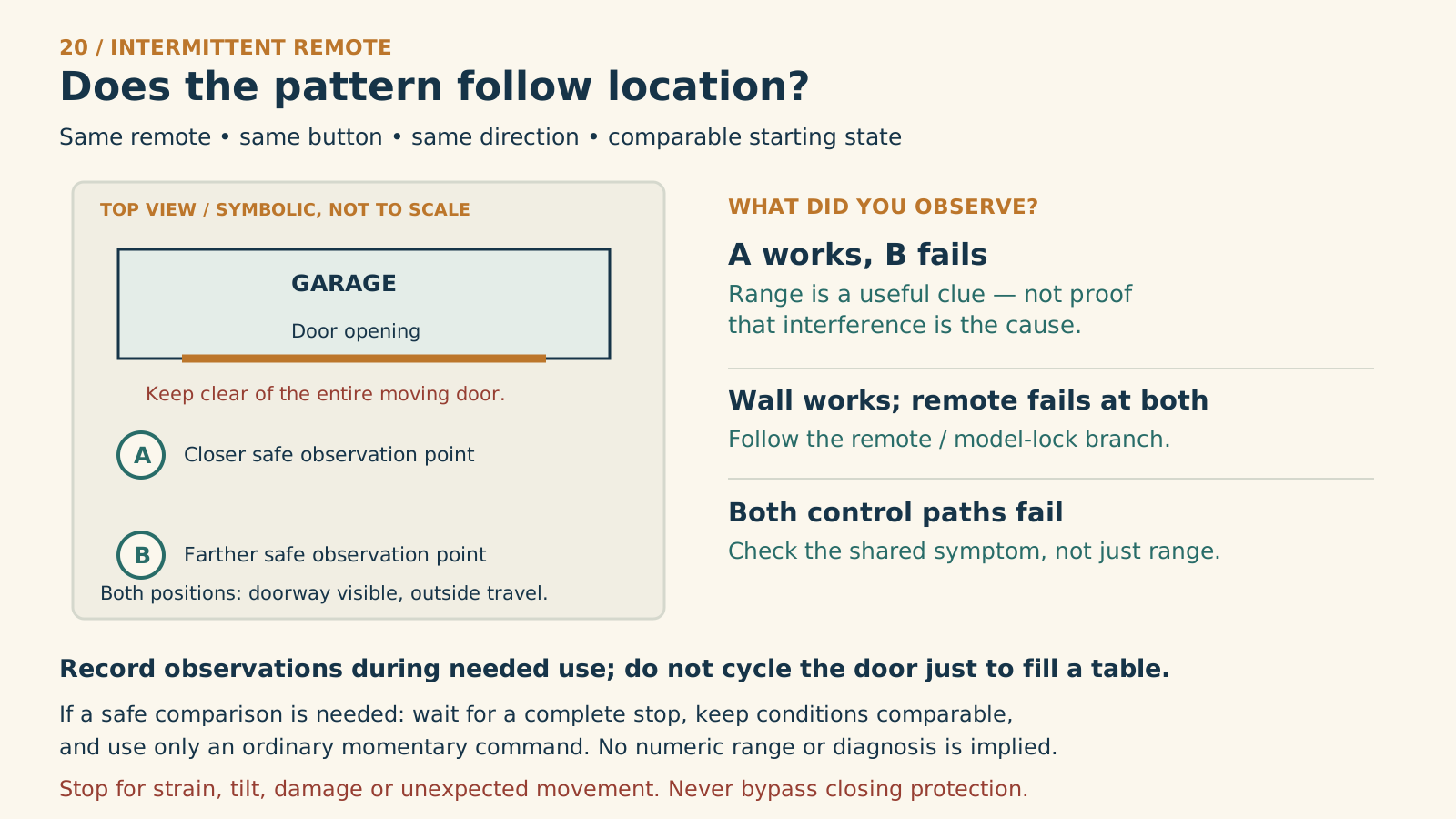
Compare locations, not settings
A — closer: a safe position outside the door’s travel, with the door fully visible.
B — farther: another safe visible position. Use the same remote and button, direction and comparable starting state.
A works; B fails
Range is a clue, not proof of interference. Use the model’s remote-range troubleshooting.
Wall works; remote fails at both
Follow the remote and documented lock-mode checks before clearing any memory.
Both command paths fail
Record the shared symptom. Do not assume a remote-range problem.
Conditions do not match
Record the difference or “unknown”; do not treat unlike observations as a controlled result.
Record during needed use rather than cycling the door to complete a table. Any safe comparison requires a full stop between ordinary momentary commands. Keep the full travel area clear both inside and outside the garage. The plan is symbolic, not a clearance template.
Manufacturer references
- Chamberlain — Remote does not work
- Genie — Troubleshooting
For safe ordinary operation, note the following without unnecessarily repeating cycles:
| Test condition | Observation to record |
|---|---|
| Wall control versus failing remote | Does failure follow one device? |
| Remote nearby versus normal driveway position | Does distance matter? |
| Remote inside versus outside the parked car | Does the vehicle location matter? |
| Opening versus closing | Is the failure direction-specific? |
| Local remote versus app | Is the problem local radio or connected control? |
| Particular time or lighting state | Is there a repeatable environmental pattern? |
2If only one remote fails, start with that remote
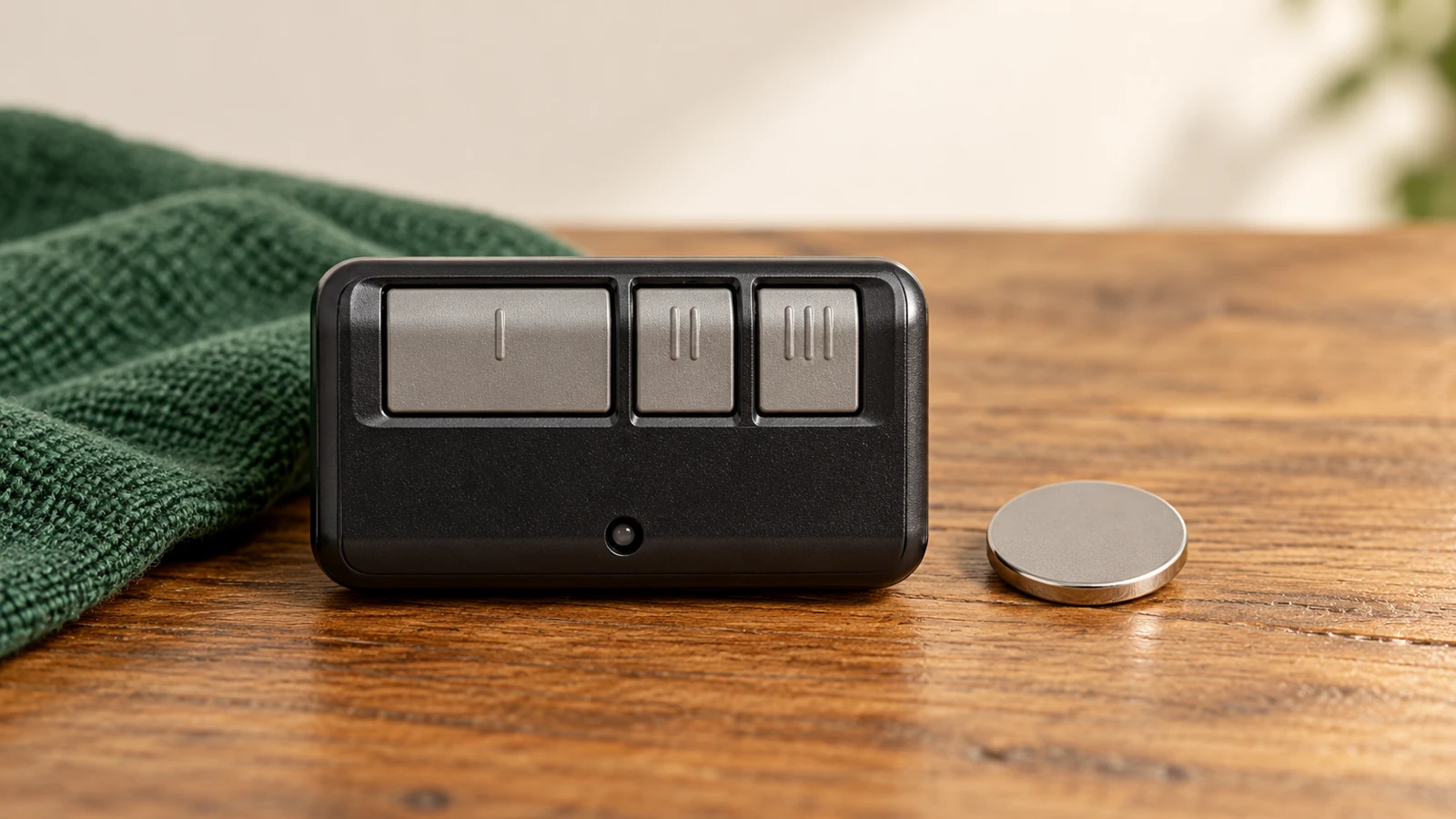
Identify its model and install the specified fresh battery using its correct opening method. Check that the case closes securely and buttons are not trapped or sticky. A lit indicator alone does not establish reliable transmission at your normal distance.
Compare it with another compatible authorized remote from the same safe location. If the second works reliably, focus on the first accessory before erasing the opener's whole memory.
We recommend testing the original assigned button after a battery change before reprogramming. Preserve working settings unless a specific diagnosis shows they need attention.
3If range changes, investigate the environment
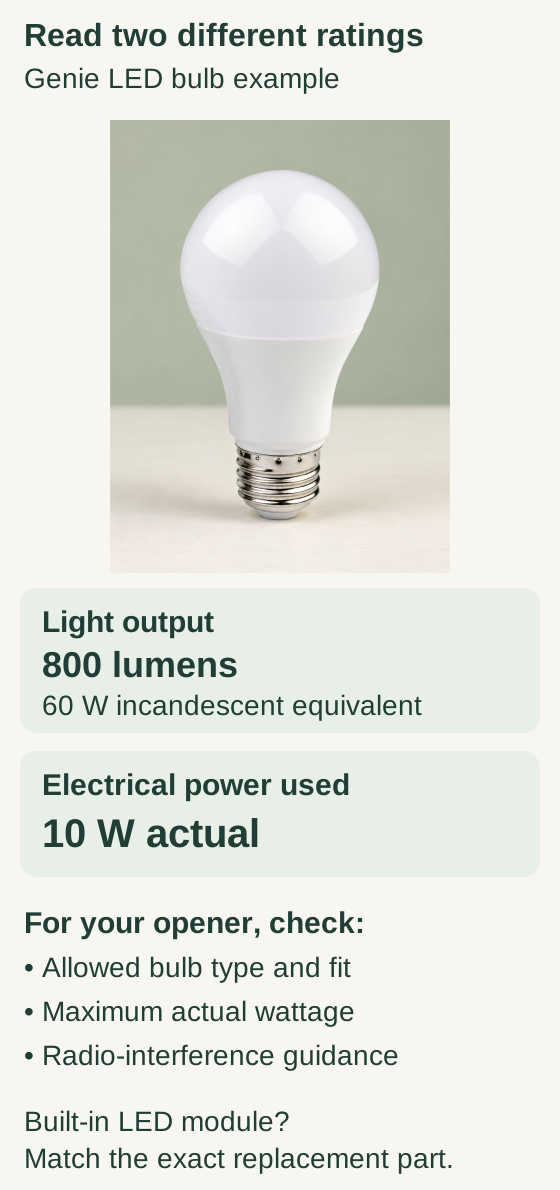
Scroll within the image if needed, or open the full-size view. The key details are also written below.
In this published Genie LED bulb example, 800 lumens describes brightness, 60 W is the incandescent-equivalent rating, and actual electrical power is 10 W. Compare actual wattage with the opener’s permitted bulb rating.
Also check bulb type, physical fit and radio-interference guidance. These numbers do not mean every LED fits or fixes an intermittent fault. A built-in LED module needs the exact replacement part.
Chamberlain Group's range guidance identifies vehicle shielding, battery condition, and nearby electronics as useful areas to check. Compare the remote outside the parked vehicle with its usual location inside, keeping the door visible in both cases.
Note recently added chargers, cameras, lighting, or other nonessential electronics. Where safe, turn off one ordinary nonessential device and compare the remote's response. Do not disconnect safety equipment, medical devices, security systems, or unfamiliar circuits for a range experiment.
Some LED bulbs can interfere with radio operation; Genie also documents that possibility. If the pattern follows lighting, check the opener's approved bulb type and wattage. Do not install a generic high-wattage bulb because an unrelated troubleshooting page mentions it. Any bulb change requires the model's power and cooling precautions.
4If several wireless controls fail together, check the common path
Read the wall console's documented lock-mode indicators. If lock mode is active and you are authorized to change it, follow that console's instructions and then test again.
Observe the opener's accessible antenna without altering internal components. Do not cut, extend, or attach improvised wire to an antenna. If the receiver or wall wiring appears damaged, stop at observation and arrange proper diagnosis.
A working wall button can be a useful comparison, but it does not prove every receiver component is healthy. Avoid the opposite mistake too: one bad remote does not establish that the circuit board needs replacement.
5If only closing fails, switch diagnostic branches
Look for ordinary obstructions, dirt on accessible sensor lenses, and model-specific sensor indicators. Record whether direct sunlight or movement of an object changes the symptom. Do not bypass the beam to make an intermittent close succeed.
If the door stops at the same physical point, makes abnormal noises, or moves unevenly, stop movement tests. The problem may require door-system assessment rather than another battery or remote pairing.
We recommend treating repeated close attempts as evidence of an unresolved fault, even if one attempt eventually works.
6If only the app fails, preserve local access
Identify the connected device and record its online/offline state and exact error. For a device that stopped working after a network change, use the existing-device reconnection process. Do not clear local radio memory merely because the phone cannot reach the system.
If the app's displayed door state disagrees with direct observation, do not rely on the icon to establish that the garage is secured. Check the identified device's sensor/status troubleshooting while keeping control of authorized physical access.
Finish with a useful result
Record the change made and whether it consistently affected the symptom. “Fresh correct battery restored normal range” is useful. “Worked once after five different changes” is inconclusive.
If the cause remains unclear, give the service provider the model, comparison matrix, indicator patterns, and recent changes. Stop unsafe tests and avoid opening the mains enclosure, disconnecting sensor wires, or altering force settings.
Common questions and key takeaways
Should I reprogram every time it fails? No. First check whether the failure follows one battery, location, direction, or connection path.
Can weather matter? Environmental patterns can be useful evidence, but do not label a fault “just weather” without a model-matched diagnosis.
Isolate the pattern, make one safe change, and verify it. Dependable operation means the underlying fault is addressed, not that the door eventually responds after repeated attempts.
Explore guides · About this guide
Was this guide useful?
Your choice stays in this browser only. It is not sent to us.
Sources & manuals2
Manufacturer instructions and references for this guide. Match the document to your exact product.
- Chamberlain — Remote does not worksupport.chamberlaingroup.com
- Genie — Troubleshootingstore.geniecompany.com