Garage Door Keypad Not Working: What to Check Before Resetting It
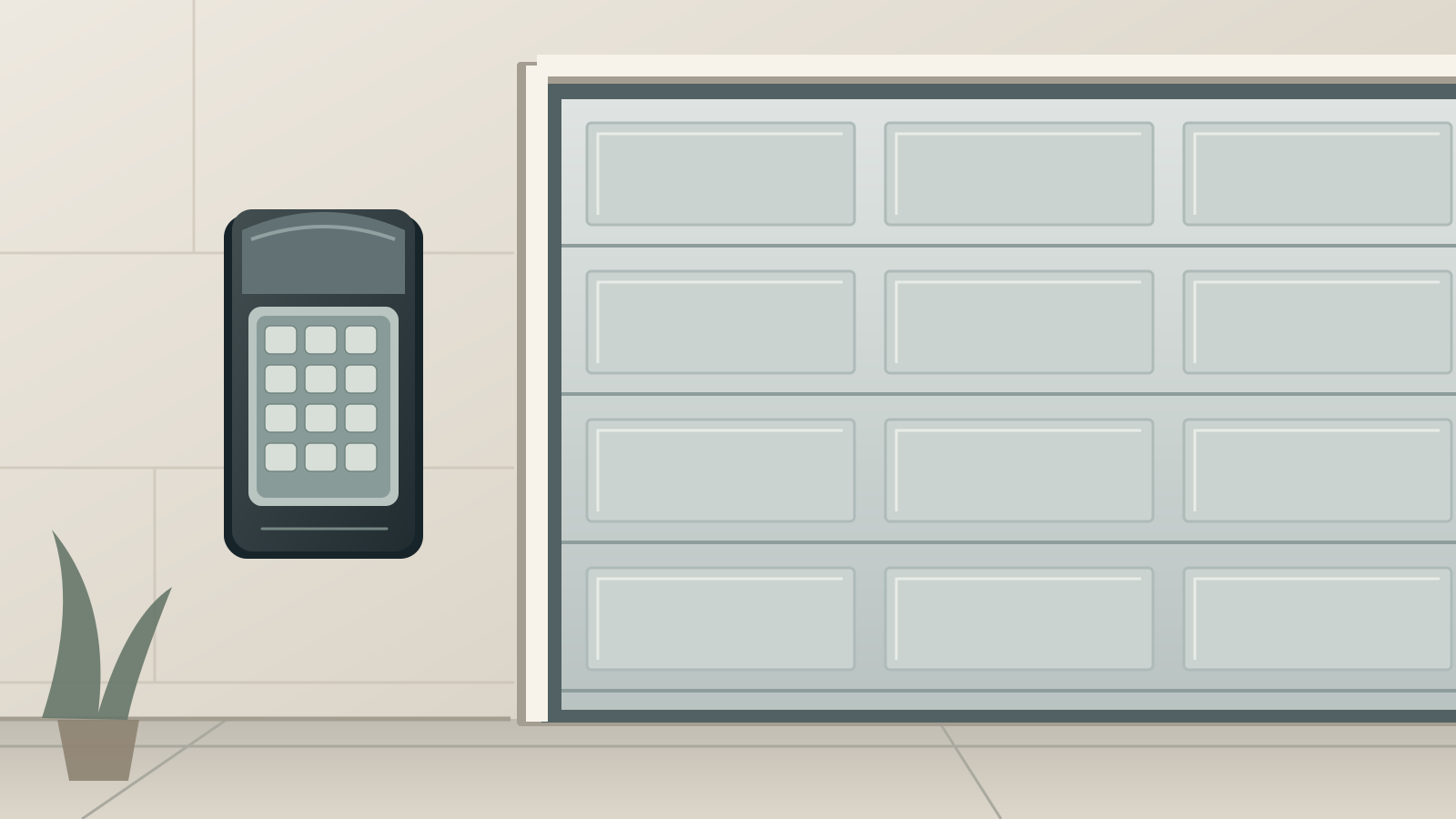
If your garage door keypad is not working, first find out whether the keypad is the only control that fails. A dead battery, an unregistered button press or a rejected access code can look like an opener problem from outside. Erasing the opener’s memory before identifying the fault can leave you with more controls to fix.
We recommend a short diagnostic sequence: compare the controls, identify the keypad, check its owner-serviceable power supply, then interpret its response using the right manual. This guide is for an existing residential keypad that previously worked. It is not an initial-programming guide, a forgotten-PIN recovery procedure or a way to enter someone else’s garage.
Before you test anything
Use these checks only on a system you own or are authorized to operate. Keep a separate authorized way into the garage available so a failed test does not lock you out.
Watch the entire doorway during any operating test. Keep children, pets and vehicles away from the opening and moving hardware. Do not keep pressing buttons while someone investigates the door.
Stop operating the system if the door hangs crooked, a cable is loose or damaged, a spring appears broken, or the safety reversal system is known not to work. A keypad fix is not a repair for those conditions. Arrange professional service; do not increase force, bypass sensors or release a suspect door to continue testing.
Have the keypad model number, its instructions, a light and the specified replacement battery available. Only use tools that its battery-cover instructions call for. A screwdriver is not an invitation to pry apart a sealed housing.
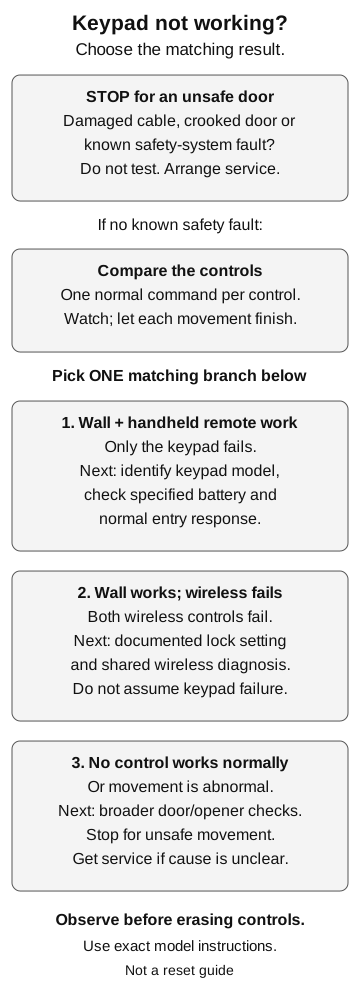
1. Compare the keypad with the other controls
When the door is safe to operate, observe one normal command from each available control. Let the door finish moving before the next test. Record the result rather than running repeated cycles.
| What you observe | Where to investigate next |
|---|---|
| Wall control and handheld remote work normally; keypad does not | Continue with the keypad checks below. |
| Wall control works; both wireless controls fail | Check the opener’s documented wireless-lock setting and investigate a shared radio/control problem. Do not assume two batteries failed together. |
| No control operates the door normally | Use the broader opener or door troubleshooting guide instead. |
| The door starts moving but stops or reverses from multiple controls | Treat this as a door/opener safety or movement problem, not just a PIN problem. |
A working wall control alone does not prove that the wireless receiver is healthy. Chamberlain’s support guidance distinguishes its wired wall-control path from its wireless keyless entry. A working handheld remote adds another useful observation, but still does not establish that every keypad component is sound.
Tip: Write down what changed immediately before the failure: a battery change, new access code, opener replacement, new remote, work near the keypad or unusually wet weather. A short history is more useful than several unrelated resets.
2. Identify the keypad before buying a battery or pressing Learn
Read the keypad’s own model label, not just the brand printed on the motor or garage door. Chamberlain’s identification guidance says most of its keypads have a model sticker on the back; its battery guidance also points to the battery compartment. Do not dismantle a wired unit to look for a label.
Check three things in the exact instructions:
- Is it a conventional battery-powered wireless keypad, a rechargeable video keypad or a wired access device?
- What battery type and cover-opening method are specified?
- What counts as a normal key acknowledgement, rejected entry or completed command?
The examples below apply only to the named models. If your unit looks different, stop and identify it rather than adapting the steps. Wired and video keypads need their own power and troubleshooting instructions.
3. If the keypad is dark, check its specified battery
A missing response makes the battery a reasonable first check. It does not establish that the keypad needs replacement. Open only the owner-accessible battery compartment using the model instructions, then check the battery specification and polarity markings.
LiftMaster 877MAX example
Chamberlain’s current battery-replacement guide lists the 877MAX with a 9V alkaline battery. For the illustrated cover style, the guide directs a flat-head screwdriver into the oval opening at the top of the battery cover, followed by downward movement of that cover. After replacing the battery, slide the cover back up until secured.
This is not the method for every LiftMaster keypad. If the cover, opening or model label does not match, do not force it. Check that the compartment is secure before entering your authorized PIN and observing the result.
Genie GK-R example
The Genie GK-R uses two AAA batteries. Its published instruction manual specifies alkaline replacements, correct positive/negative orientation and no rechargeable batteries. Genie states that changing this model’s batteries preserves its programming; a battery change alone is not a reason to factory-reset it.
If the compartment contains leakage, heavy corrosion, a broken contact or damaged wiring, stop the owner checks. Do not scrape contacts with a metal tool or attempt circuit-board repair. Keep removed batteries away from children and handle disposal under local battery guidance.
Common mistake: Choosing a battery because it fits. The type specified for the keypad matters as well as its physical size.
4. If the keys respond, separate an entry problem from a connection problem
Illumination tells you something happened at the keypad; it does not prove that the opener accepted an authorized command. Use the known current PIN, the correct final command button and the timing described in that keypad’s manual. Do not try lists of possible codes.
Read the response on the keypad itself
For the Genie GK-R instructions cited here, rapid flashing of the keypad LED, PROGRAM key and number-pad backlight indicates a programming problem or invalid PIN. Genie says to wait 15 seconds for the backlight to turn off before trying a valid PIN again. That timing and light pattern are not a universal lockout rule for other keypads.
If a model has a documented lockout after failed attempts, allow its specified interval to finish. Repeated input makes the original symptom harder to observe.
Check whether you are using temporary access
A temporary code may stop opening a door because its authorization ended, not because the keys failed. Chamberlain documents cases where an expired temporary PIN can still close the door. Ask the owner to confirm your access rather than treating a successful closing command as proof that your opening code remains valid.
Tip: Keep access recovery separate from fault diagnosis. If the PIN is unknown, use the authorized PIN-management process. This page does not provide a universal reset sequence.
5. Look for a particular button or an intermittent pattern
During one normal, authorized entry, note whether a particular key fails to give the acknowledgement described in the manual. Do not press unrelated buttons just to make lights appear: some models remain active briefly after successful entry.
For example, the GK-R manual describes a 15-second active period in which another keypress can operate the opener. Keep watching the door, and let that period end before touching the keypad again.
A repeatably unresponsive digit is useful evidence for support. Chamberlain suggests testing a different authorized PIN to distinguish a failed key from other causes. If you choose that route, follow the existing PIN-change guide for your exact model; do not improvise a programming sequence here. A working alternative code does not repair worn hardware.
For occasional failures, record whether the problem follows rain, cold, a recent accessory installation or changes near the mounting surface. Treat these as clues, not a diagnosis. Do not spray lubricants, solvents or water into the keypad, heat it with a heat gun, or open the electronics to dry them.
Genie identifies radio interference as one possible cause of unreliable wireless operation. If the handheld remote is also intermittent, move to shared remote/radio troubleshooting rather than repeatedly replacing the keypad. Do not alter the opener antenna or receiver wiring.
6. Re-pair only when the observations justify it
Pairing becomes relevant when the keypad has power, its entry sequence is correct and the opener no longer recognizes it—or when the opener or keypad has been replaced. Confirm compatibility and use the exact keypad/opener instructions.
A model detail can change the procedure. LiftMaster’s 877MAX manual support page specifies that pairing to an 8500 uses the compatible 888LM or 889LM wall control, not the yellow button on that opener. That is why we do not supply one universal Learn-button sequence.
Use our keypad-programming guide for that separate task. Use our PIN-change guide when the task is changing an existing authorized code. Neither requires turning this diagnostic visit into an automatic whole-system reset.
Avoid clearing the opener’s memory as a first step. Chamberlain warns that clearing it means programming the existing remotes again. Record what works now and get model-specific help before accepting that extra work.
When to replace the keypad or ask for service
Replacement is worth discussing when the keypad stays unresponsive after the correct battery and installation checks, a key repeatedly fails, or the housing or battery contacts are damaged. Confirm the replacement against both the opener and any separate receiver; a matching brand name is not enough information to order by.
Ask for service instead of opening housings or changing wiring when:
- Multiple controls fail and the cause is still unclear.
- A wired keypad has no power or shows cable damage.
- The opener behaves unpredictably or has a safety fault.
- You cannot identify the hardware or obtain matching instructions.
Give support a concise record: keypad and opener model numbers, which controls work, the battery type fitted, the keypad’s exact light response and what changed before the failure. Do not include your PIN in photographs, public posts or a general troubleshooting note.
Our stopping point is simple: once the fault goes beyond the specified battery compartment, normal authorized entry and model-supported programming, stop guessing. Preserve the working controls and get the right diagnosis before buying parts.
Editorial Team
Sources & manuals7
Match each manufacturer document to your exact product and revision.
- The Wall Control Panel Works but the Keyless Entry Does Not
- Wireless Keypad | How to Change the Battery
- Genie GK-R Wireless Keypad Instructions, 38832.503493, 01/2017
- Genie Wireless Keypad Programming Instructions
- GK Wireless Keypad - Product Support Information
- LiftMaster Model 877MAX Wireless Keyless Entry Owner's Manual support page
- Keyless Entry | Programming Overview